Fastmail Backup & Migration Software
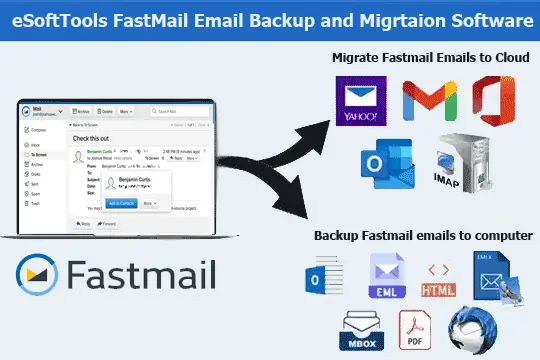
Advanced tool with the ability to export FastMail emails to various email platforms quickly and securely. Migrate emails to Office365, Gmail, Yahoo Mail, Thunderbird, Outlook and many other programs. Email export while preserving all email details including attachments and metadata. Plus get options to select folders, filter by date, customize file names and more.
- Export emails from Fastmail Account and save to local drive.
- Migrate Emails to Web email services - Office365, Gmail, Yahoo.
- Select folders and emails date for targeted email exporting.
- Retains all email attachments, and metadata in original form.
- User friendly design and support of all Windows OS versions.
Key Features of Fastmail Email Backup & Migration Tool

Instant Fast Software Delivery via Email

- Securely perform email backup and migration from FastMail account with a safe and easy process.
- Migrate emails from Fastmail to Office365, Gmail, Yahoo Mail and other IMAP email programs.
- Export and save emails locally in diverse formats including - PST, EML, EMLX, MBOX, PDF, MSG, HTML, MHTML, Thunderbird.
- Extract emails from chosen folders with easy folder selection facility during migration or backup.
- Filter emails by date range to backup or migrate specific email according to their selected period.
- Save emails with complete email properties - To, CC, BCC, Subject, Attachments, Message body & other.
- Preserve email singularly as individual files in EML, EMLX, MSG, HTML, MHTML, and PDF formats.
- Directly Import Fastmail emails into Thunderbird email client (Previously configured Email profiles).
- Export emails from Fastmail mailbox folders into Single MBOX or Separate MBOX files.
- Retain all emails in original format both on source Fastmail account and destination platform.
- Customize file naming conventions using 9 different formats for organizing exported email files.
- Manual selection of saving location for storing email backup files on user's preferred path.
- User-friendly graphical interface designed to easily perform Email backup/migration operations.
- Designed to work on all Windows O/S versions - 11, 10, 8.1, 8, 7, XP, Vista and even older.
Free Demo Edition : Test for free and backup/migrate 25 emails per folder of Fatsmail account.
What You Get with Fastmail Backup and Migration Software
Secure & Trusted Fastmail Email Migration Tool
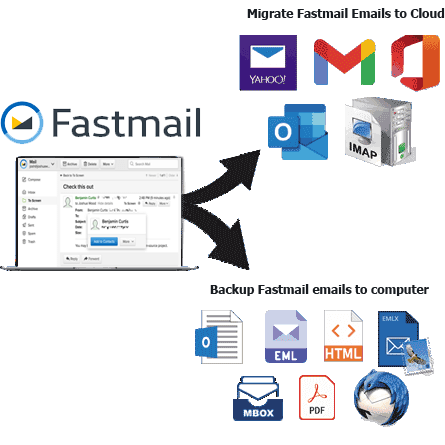
A complete utility designed to easily accomplish two essential tasks for Fastmail users - Email backup and migration.
- Download Fastmail Email to Local Drive: - Backup emails from selected Fastmail folders and save them locally in various widely used file formats. Export email Fastmail mailboxes as PST, EML, EMLX, MSG, HTML, MHTML, MBOX and PDF. Also includes an option to directly import Fastmail emails into an existing Thunderbird profile.
- Move Fastmail Email to Cloud Services: - FastMail migrates emails directly to cloud or web-based platforms such as Gmail, Yahoo Mail and Office 365. Also, supports email migration to any email service based on IMAP, including custom domains or hosting providers. Straightforward, fast and accurate migration without the need for external tools.
Learn More >> How to Backup & Migrate Fastmail Emails?

Export Fastmail Email to MS Outlook
Export Fastmail emails to Outlook-compatible PST format with ease and great speed. Save selected folders or entire mailboxes to a single PST file ready for use in Outlook. Compatible with all Outlook versions including 2021, 2019, 2016 and earlier versions.
Save Each Email Individually
Create a separate file for every email, making sorting and identification easier and more efficient. Choose from multiple export types: EML, EMLX, MSG, HTML, MHTML, and PDF. Preserves all relevant email data such as headers, formatting, attachments, images, etc.

Archive Fastmail Folders as MBOX
- Save in Single MBOX: - Archive emails from all selected folders into one MBOX file.
- Save in Separate MBOX: - Create individual MBOX files for each selected folder.
Back up emails from Fastmail folders in MBOX format with two flexible storage options: -

Load Fastmail in Thunderbird Client
Import Fastmail emails directly into active Thunderbird profile on your system. Auto-detects Thunderbird's storage path and injects emails into selected folders. Simplifies Fastmail mailbox migration to Thunderbird with just one click.

Select Folders for Mail Export
Preview all FastMail mailbox folders and select only the ones you want to back up or migrate emails from. Avoid exporting unnecessary data and reduce backup file size and increase export speed. Time-saving and targeted email migration.

Preserve Original Email Structure
Keep all original elements of your emails intact during export or migration. Email layout, headers, timestamps, sender/recipient information, attachments and formatting are accurately retained. Ensures complete email export with zero data loss.

Filter Emails by Date Range
Use smart date filters to migrate or backup only emails from a specific period. Choose custom start and end dates to target relevant messages. Perfect for archiving only important emails or reducing export load.

Custom Naming for Individual Files
Choose how to name exported email files for easy organization and search. Options include combinations of sender, date, subject, for file names. Works with EML, EMLX, MSG, HTML, MHTML, and PDF formats.

Transfer Emails to Specific Folder
Set a target folder when migrating emails to another webmail or cloud account. Insert new folder in Cloud mail service with custom name. Avoid mixing with existing inbox content and maintain structured organization.

Choose Backup Save Destination
Manually define where your exported files will be stored. Choose any path in your - internal drive, external storage or network path. Gives full control over backup management and organization.

Simple Interface for Easy Use
Modern GUI for smooth operation by both beginners and professionals. All the main functions like folder selection, file format options, and filtering are just a click away. There is no need for technical expertise or command-line operations.

Supports All Windows Versions
Fully compatible with all modern and older Windows operating systems. Runs on Windows 11, 10, 8.1, 8, 7, Vista, XP and older versions (both 32-bit and 64-bit). No additional software or high system requirements required.

Migrate & Backup Fastmail Email Free
Download free demo to test the software and experience its full capabilities risk-free. You can backup up to 25 emails per folder or migrate them at no cost. The perfect way to evaluate performance, accuracy and interface before purchasing the full version.
eSoftTools Fastmail Email Backup & Migration Software

Fastmail Backup/ Migration software

Fastmail email Account Login

Choose required Fastmail email account mail folders

Download Fastmail email to different formats

Download Fastmail email to Local drive

Import Fastmail email to cloud apps

Migrate Fastmail email to Office365

Migrate Fastmail Emails to Gmail
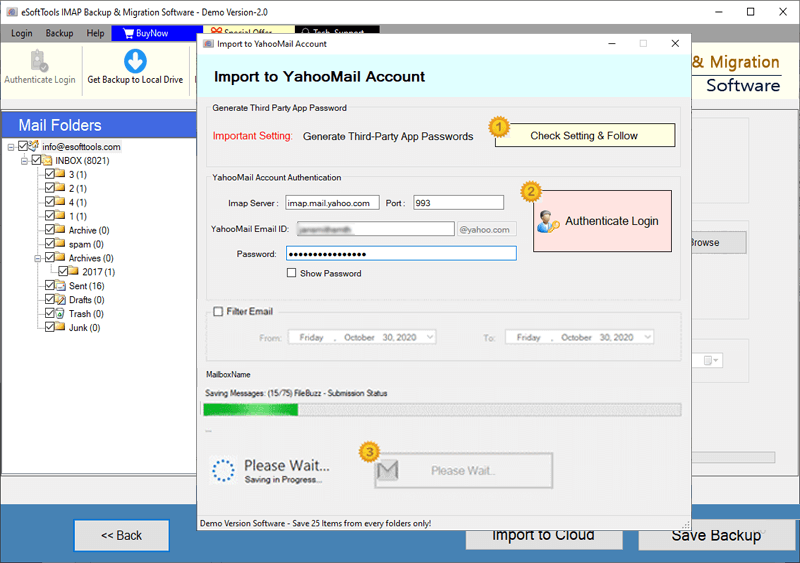
Fastmail Emails export to Yahoo account

Export Fastmail account emails to Outlook.com/ Hotmail

Migrate emails from Fastmail email to other imap mail app
Software Comparison
| Software Features | Trial Version | Full Version |
|---|---|---|
| Export & Migrate Emails from Fastmail Account | ||
| Download Emails in Multiple Formats (PST, EML, PDF, MBOX, HTML, etc.) | ||
| Migrate Fastmail to Gmail, Office365, Yahoo Mail, & Other IMAP Services | ||
| Create Separate MBOX Files per Fastmail Folder | ||
| Combine All Mail Folders into One MBOX File | ||
| Auto-Detect & Import into Thunderbird Mail Profile | ||
| Apply Date Filters to Export Emails by Time Range | ||
| Rename Output Files Using Naming Conventions | ||
| Unlimited Fastmail Backup & Migration | Exports up to 25 emails per Fastmail folder in demo version | |
| Download Now | Buy Now |
Software Specification
Trial Limitations
Backup and migrate up to 25 emails from each Fastmail account's folder, allowing you to test all the software features completely free of charge.
Software Info
Version
v6.0
Fastmail Webmail
License
Personal, Corporate, Technician
Language Supported
English, German, Italian, French, Spanish
System Requirements
Processor
Intel® Pentium Class
Operating System
Windows
Hard Disk Space
50 MB of free hard disk space
RAM
Minimum 512 MB is required
Software Delivery
Electronic
YES
Mode
Delivery by E-mail
Supported Windows OS
Works with all windows O/S editions 11, 10, 8.1, 8, 7, XP, Vista, & below editions
Frequently Asked Questions (FAQ)
How to Backup Emails from Fastmail to Computer using Fastmail Email Backup Tool?
- Download eSoftTools Fastmail Email Backup & Migration Software and install in your Windows PC.
- Open the tool and enter your Fastmail account credentials—Email Address, App Password, Port Number, and IMAP Server (usually: imap.fastmail.com).
- Click the Login button to connect your Fastmail mailbox and automatically fetch all available folders.
- Select folders from your Fastmail mailbox that you wish to download and backup to your computer.
- Choose your preferred backup format- PST, EML, MSG, MBOX, PDF, HTML, MHTML, EMLX, and Thunderbird.
- Apply settings such as: Date Range Filter, Naming Convention, and Saving Location selection.
- Finally, hit on Start Backup button to begin exporting and saving your Fastmail emails locally.
See the full step-by-step guide here: How to Backup Fastmail Emails to Computer
How to Migrate Fastmail Email to Cloud Mail Services - Gmail / Yahoo Mail / Office365 & Others?
- Download eSoftTools Fastmail Email Migration Software on your computer running on Windows.
- Enter your Fastmail account credentials: Email Address, App Password, Port, and IMAP Server (imap.fastmail.com).
- Click the Login button to load all mail folders from your Fastmail mailbox.
- Once all folders are loaded, select the specific folders containing the emails you want to migrate.
- Click on the Import to Cloud button and choose your destination email platform: Gmail, Yahoo Mail, Office365, or IMAP.
- Provide login details for the destination email service—Email Address, Password, Port, and Hostname.
- Configure settings such as date-based email filtering, and destination folder creation.
- Finally, click on Import or Convert button to begin transferring Fastmail emails to your selected cloud mail service.
See the full tutorial with detailed screenshots: - How to Migrate Emails from Fastmail to Cloud Mail Services?
What email file formats does Fastmail Backup software support for storing downloaded emails?
Can I migrate Fastmail emails directly to Gmail, Office 365 or Yahoo Mail accounts?
Is it possible to back up emails only from selected Fastmail folders?
Absolutely! You can preview and select specific folders from the Fastmail account to back up or migrate emails and avoid unnecessary data transfer
Does the software preserve original email metadata and attachments during email export?
Can I filter emails by date to migrate or backup emails only of a specific time frame?
Is this tool compatible with the newer version of Windows Operating System?
Does the trial version allow me to migrate and backup Fastmail emails?
The free demo version lets you export or migrate up to 25 emails per folder of a Fastmail account. This helps you test the capabilities and functions of the software and all the features before purchasing it.