MBOX to CSV Converter Tool
Convert MBOX files with emails into CSV. Save MBOX file's emails in a structured, comma-separated values (spreadsheet format). Extracts essential email properties - From, To, Subject, Date, and Body and organizes them into a clean tabular format. Store Emails in CSV with clearly defined header rows and corresponding values for each email. Access email data from resulting CSV with programs like MS Excel and Google Sheets.
- Convert Emails from Multiple MBOX files in single operation.
- Read emails from MBOX files inside software (before conversion).
- Save each MBOX email with every linked detail in CSV file.
- Folder selection & email filter option for selective email export.
- Supports converting all MBOX versions, MBOX/ MBX/ MBS/ MSF, etc.
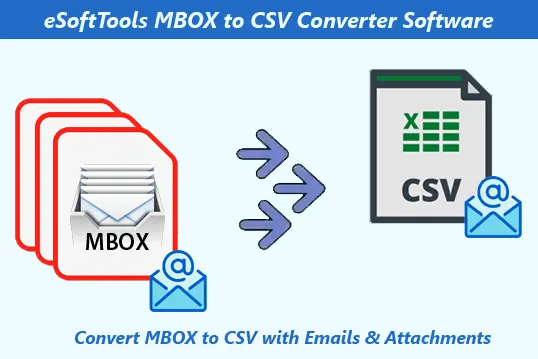
MBOX to CSV Converter Software - Features Overview
Instant Fast Software Delivery via Email

- Convert MBOX to CSV with Email - Export & Preserve email data in CSV for use in MS Excel and other CSV-supported programs.
- Save each email's elements (To, BCC, CC, Subject, From, Body, Attachments, etc) in tabular form inside CSV (comma separated values).
- Fastest MBOX File Conversion to different formats with 10 export options - Single PST (For all mailbox), Separate PST file for each mailbox, EML, EMLX, MSG, HTML, MHTML, Zimbra, Thunderbird, & PDF.
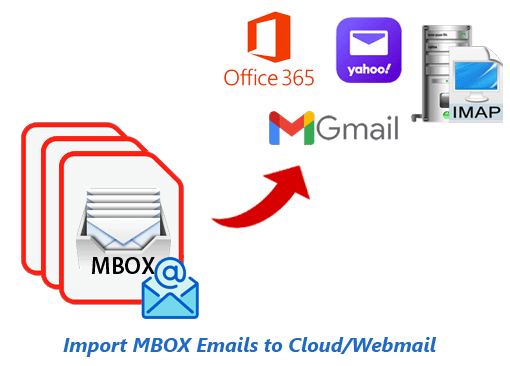
- Upload Emails from MBOX Files to Office365, Gmail, Yahoo Mail, and IMAP Accounts.
- Insert MBOX files for conversion with 3 different options- Select MBOX file, Select MBOX folder, and Auto-Load Thunderbird Profile.
- Open MBOX file in software and read all emails with header properties & attachment.
- Folder Selection - Allows selecting required folders from a list of folders to extract emails from them specifically.
- Saves MBOX email's attachments in separate folder & links inside CSV file for direct opening.
- Email Filter with date selection facility to export emails from MBOX of exact dates.
- Manual selection of location to store new CSV files - choose any place form your PC.
- Completes email export task without making any changes to MBOX files & their emails.
- Convert MBOX file of all types (MBOX/ MSF/ MBX/ MBS/ MBOX without extension).
- Works with MBOX files created from Thunderbird, Apple Mail, Opera Mail, or any other MBOX-supported email program.
- Operable for MBOX conversion by a person with any technical experience (novice to expert).
- Desired to work in computers with every edition of Windows OS - 11/ 10/ 8.1/ 8/ 7 and older.
Free Demo : - Convert each MBOX file to CSV & other export options with up to 25 emails at no cost.
MBOX to CSV Conversion SOftware - All Feature's Details
A Powerful MBOX to CSV Conversion Solution
Dedicated software to convert email data stored in MBOX files into CSV compatible with spreadsheet applications. Software parses each email from MBOX file and extracts various attributes, such as from, to, subject, date, body, attachment, etc and organises information into new CSV files in tabular format.
Representing each MBOX file's email as a row and assigning each email's attribute to a specific, appropriately labelled column in CSV. Ensures extracted data is well-structured and easily accessible for a variety of tasks, including data analysis, reporting, and archiving.
Learn More >> How to Export MBOX Emails to CSV files?


Free MBOX File Conversion to 10 More Formats
Allows conversion of MBOX files with email to more file type options other than CSV. Save MBOX email with attachment to 9 different file types as: -
Learn More >> Convert MBOX to Available 10 formats?
Email Migration from MBOX to Coud/Webmail
Quick export of emails (mail folders) from MBOX files to any email platform that supports web-based access. Upload MBOX emails to web email services with 4 different available options: -
- Import MBOX to Office365: - Upload emails from MBOX files to Outlook 365 profile available in Office365/Microsoft365 Suite.
- Import MBOX to Gmail: - Move MBOX file's emails to Gmail (Primary Account) and Google Workspace (Email account with custom email address).
- Import MBOX to Yahoo Mail: - Migrate emails from MBOX files to Yahoo Mail account with a direct process.
- Import MBOX to IMAP: - Transfer emails from MBOX files to any email account/email service supporting web access and IMAP protocol.
Learn More >> How to Import MBOX to Cloud Email Programs?

3 Options to Insert/Add MBOX Files
- Select MBOX file: - For a single file conversion, insert one MBOX file at a time.
- Select MBOX folder: - For multiple file conversion, insert a folder having multiple MBOX files (also loads MBOX files from sub-folders).
- Auto-load Thunderbird: - Enables users to directly load all email folders from your Thunderbird configured profiles.
Allows adding MBOX files into software for performing conversion with 3 distinct methods: -

Open MBOX File & Read Emails
- Email Preview: - Email shows exactly as they are saved in MBOX with every detail.
- Email Header: - Shows only associated header elements of email - TO, BCC, CC, Subject, Date, Mime Version, etc.
- Email Attachment: - Shows attachment that linked to email and allows direct opening on double-clicking.
Enables users to directly Open MBOX file and shows every email that available inside MBOX file before making a conversion. Available preview panel with 3-tab options.

Email Export from Chosen Mail folders
Allows you to insert multiple MBOX files and folders, and after entering them, select only the required folders for email export. Choose the required MBOX folders from the list of entered folders and export emails only from the selected folders.

Email Date Selection for Export
It is also possible to specify the date of the emails to export. Simply enable the Email Filter option and select a date range by choosing a start and end date. After this selection the software will export emails from MBOX files containing emails of only chosen dates.

Save Emails with Linked Attachments
MBOX email can be exported with its attachments. Save all email attachments in a separate folder and link the attachments to the CSV file. Within the CSV file, save a link in the attachment's column of each email row. By clicking this link, users can directly access the attachments.

Store Resultant Files to Desired Path
Supports saving new CSV files and other resulting files to a user-defined location. Users can easily specify any location on their computer and store all the files generated as a result of the conversion there.
Support All MBOX file & Email Client
Every MBOX file type, including MBOX/ MSF/ MBS/ MBX/ MBOX without extension or other formats, are supported for conversion by this software. Easily users can convert a MBOX file generated from any supported programs including- Thunderbird, Apple Mail, Eudora, Entourage, Opera Mail, Google Takeout, etc.

Clear Interface for Easy Execution
Software comes with a graphical interface that is easy to understand and use for all people. This allows users to implement conversion steps with simple clicks and obtain instant results comfortably and without errors.

Compatibility for All Windows OS
Software can be used for conversion on computers running Windows operating systems. On systems that have any version of the Windows O/S, from older to newer, users can perform MBOX file conversion by running this tool. Supports Windows 11/ 10/ 8.1/ 8/ 7/ Vista/ XP and older.

Free MBOX to CSV Conversion Demo
Convert MBOX to CSV for free with the free version of this MBOX to CSV converter. This allows users to test the software's features and functionality before making a purchase. This demo exports 25 emails from each MBOX file to CSV without charging a dime.
eSoftTools MBOX to CSV Converter Software

eSoftTools MBOX to CSV Conversion software
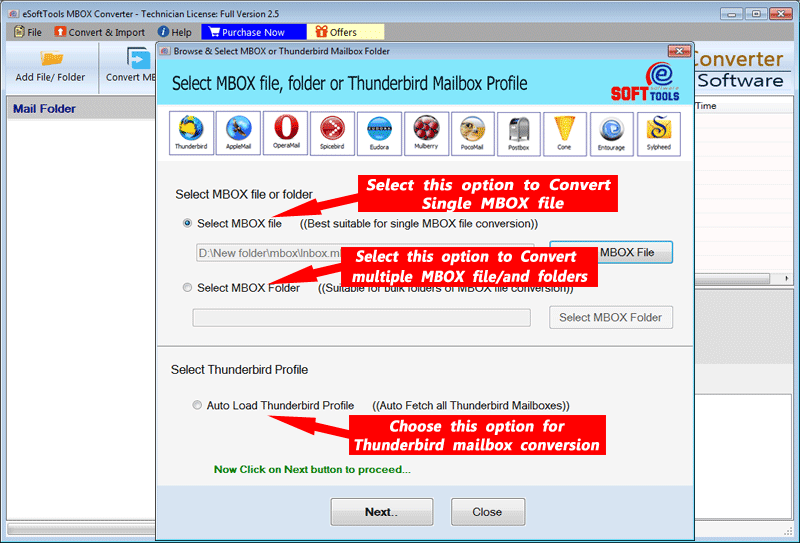
Insert Single or Multiple MBOX file

Open MBOX file and read Outlook items data

MBOX to CSV Export format selection and settings
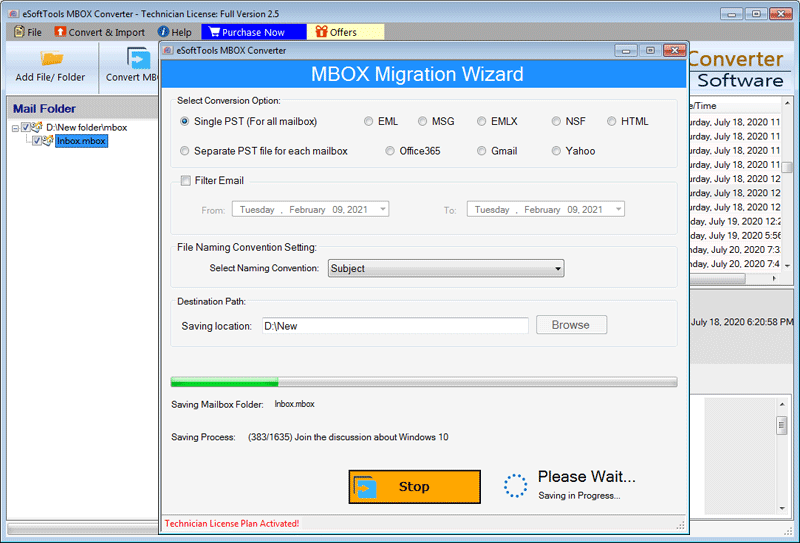
MBOX to CSV file Conversion
Software Comparison
| Software Features | Trial Version | Full Version |
|---|---|---|
| Convert MBOX file to CSV format | ||
| Open MBOX file and Preview EMails | ||
| Save Email with Attachment | ||
| Chosen MBOX Mail folders exporting | ||
| Email Export of specified date range | ||
| MBOX Conversion to PST/ HTML/ MSG/ MHTML/ EML/ EMLX/ PDF/ Thunderbird/ Zimbra TGZ | ||
| Import MBOX to Cloud (Office365/ Gmail/ Yahoo/ IMAP) | ||
| Saving in Destination Path | ||
| Convert MBOX with Unlimited Emails | export 25 items from each selected MBOX file | |
| Download Now | Buy Now |
Software Specification
Trial Limitations
QRapid each MBOX file conversion to CSV and other available export options with 25 emails at zero cost.
Software Info
Version
v7.0
MBOX/MSF/MBS/MBX/ MBOX without extension
License
Personal, Corporate, Technician
Language Supported
English, German, Italian, French, Spanish
System Requirements
Processor
Intel® Pentium Class
Operating System
Windows
Hard Disk Space
50 MB of free hard disk space
RAM
Minimum 512 MB is required
Software Delivery
Electronic
YES
Mode
Delivery by E-mail
Supported Windows OS
Works with all windows O/S editions 11, 10, 8.1, 8, 7, XP, Vista, & below editions
Frequently Asked Questions (FAQ)
How to Convert MBOX to CSV files with emails using MBOX to CSV Converter Software?
- Download eSoftTools MBOX to CSV Converter software's setup file for windows PC.
- Run the exe and install the software, then launch in your machine.
- Click on Add File/Folder button and choose an available file adding option: - Select MBOX file, Select MBOX Folder, or Auto-Load Thunderbird.
- Select a file adding mode and insert into the software, then click on the Next button.
- Load mail folders from inserted MBOX files and read emails from them.
- Choose the necessary folders for email export and click on Conver MBOX button.
- Select CSV from available conversion format option and apply settings - Saving Location, Save Attachment, and Email filter.
- Finaly, click on the Convert button and begin the process to Export emails from MBOX to CSV files.
Check complete process with detailed guide, here: How to Convert MBOX to CSV files?
How does this software save MBOX emails to CSV file?
This software extracts email data (sender, recipient, subject, date, body, attachments) from MBOX files and organizes it into a structured CSV format for use in spreadsheet applications. Save each email as a separate row and save the email's elements in each column of the row.
Can I convert MBOX and export emails to a format other than CSV?
Yes, apart from CSV this single software provides 10 other export options to save emails as local files - Single PST (for all mailboxes), Separate PST file for each mailbox, EML, EMLX, MSG, HTML, MHTML, Zimbra, Thunderbird, and PDF.
Apart from this, it also transfers MBOX emails to cloud mail services like Office365, Gmail, Yahoo Mail, and other IMAP-supported email platforms.
Will this software allow me to add multiple MBOX files and convert them simultaneously?
What is the function of auto-loading Thunderbird profiles inside this software?
This is a special feature available in the software as MBOX File/Folder Add Mode. This allows users to directly load all available mail folders from all email profiles configured in the Thunderbird email client.
Does this software also allow reading emails from MBOX files?
Yes, this software also works as a free MBOX file opener and enables users to read emails from MBOX files. It provides email preview exactly as they are available in MBOX file.
Does this software offer to apply some additional settings to target specific emails for export?
Does this software also export attachments of emails and store them in CSV?
Which email clients' MBOX file is supported for conversion in this software?
This software supports all MBOX files for conversion that the user has generated from supported email programs - Thunderbird, Apple Mail, and others.
What are the capabilities of free MBOX to CSV converter demo version available?
This free demo allows users to test out all the software's capabilities for free. It allows users to convert MBOX file with up to 25 emails at no charge.