Webmail Email Attachment Extractor Software
Astonishing software solution for downloading email attachment from Webmail. Supports to download attachment from email account hosted any hosting provider and available to use via Horde Webmail and Roundcube.
- Download every type of attachments from Webmail emails- PDF, Word, Excel, ZIP, Images, Videos, etc.
- Preserve attachments Folder-Wise or Message-Wise on PC.
- Attachment Filter with Predefined Extension Selection or Custom Adding.
- Allows selection for Specific Email Folder and Emails Dates.
- Extract email address from emails & save in TXT, CSV & HTML.
- Easy access on Windows O/S of every edition (including Win 11).
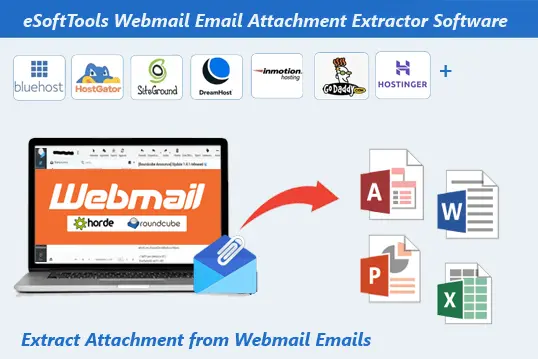
Webmail Attachment Extractor Software - Features Overview
Instant Fast Software Delivery via Email

- Special program for downloading attachments from emails of email accounts you are using with Roundcube and Horde Webmail.
- Extract attachments from emails and save them as separate files on your computer.
- Download attachment of every type - Word Docs, PDFs, Excel Spreadsheets, Zip archives, images, videos, etc.
- Get mail folder selection feature and be able to extract attachments from emails of specific folders.
- Offers 2 different modes to extract and save email's attachments on your machine - “Extract Attachment Folder-Wise” & “Extract Attachment Message-Wise”.
- Allows filtering of attachments for specific attachment extraction - “Predefined Extension” & “Custom File Extension”
- Additionally, allows extracting email addresses from email fields - TO, BCC, CC, and From and preserving in files TXT, CSV and HTML.
- Date-wise email filtering to select emails according to their date & extract attachments only from them.
- Enables users selecting their desired location to store downloaded files/attachments.
- Supports download email attachments from all hosting providers - Hostinger, Dreamhost, HostMonster, Siteground, InMotion, IONOS, and more.
- Completes email attachment download process without making a single modification to original email.
- Provides graphical interface for easy access to all software functions by all types of users.
- Works on computers running Windows O/S - 11, 10, 8.1, 8, 7, XP, Vista or older versions.
Available Free Demo: - Free Downloads Attachment from 15 Emails per folder.
Webmail Email Attachment Extractor Software - All Feature's Details
Download Email Attachment from Webmail
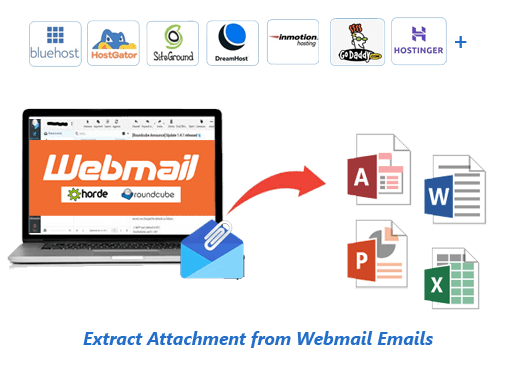
An advanced software dedicated to downloading email attachments from Webmail accounts. Extract email attachments from email account you are using with Roundcube or Horde Webmail. Download email attachment from email accounts available in cPanel of your hosting providers, such as Bluehost, HostGator, InMotion Hosting, Namecheap, SiteGround, GoDaddy, GreenGeeks, Liquid Web, etc.
Download attachments associated with emails of webmail account to your computer. Save copies of all attachments - PDF, DOC, ZIP, RAR, EML, HTML, XLSX, etc.
Learn More >> How to Extract Webmail Email Attachments?

Extract Email Addresses from Webmail Emails
Get the facility to extract email address from webmail account's emails. Extract email address from email fields like- To, BCC, CC, and From. Also, get option to collect email from specific as well as all fields.
Copy email addresses into three different file types, including CSV, TXT, and HTML. Save these generated files anywhere on your computer. Plus, get email filtering function to extract email addresses from emails with specific dates.
Learn More >> How to Extract Email Address from Webmail?

Extract/Save Attachment in 2 Modes
- Extract Attachment Folder-Wise: - Create separate local folder on your PC for each chosen email folder of your webmail account. Store attachments of all emails of each webmail folder to corresponding local folder.
- Extract Attachment Message-Wise: - Create a separate folder for each email/message and store its linked attachments in it.
Download attachments and preserve downloaded attachment with 2 distinct methods: -

Attachment Extension Filtering
- Predefined Extension: - Allows you to select the file extension of an attachment from a list to extract it specifically.
- Custom File Extension: - Enables you to manually insert an attachment extension to specifically extract it.
Get power to download only attachments you need and skip downloading unwanted with filtering options: -

Specific Mail folder Selection
Available with feature of showing all available mail folders from users' email accounts. Displays all mail folders and enables users to select folders containing required emails for attachment export. Allows you to select folders and extract attachments only from the selected.

Email Date Selection & Filtering
Ability to select email dates has been added to extract attachments only from required emails. Specify an email date range by selecting a start and end date. With this date range selection, attachments will be extracted from emails with dates between the specified period.

No Modifications to Email Data
Each email attachment extraction task will be performed with complete security. The software will not attempt to alter any emails. The source emails, along with all their attributes and attachments, will remain intact in their original format.

Self-Select Path to Save Attachments
Users can manually select a specific location on their computer to save output files (downloaded attachments). Before executing attachment extraction process, users can select this storage location and, after completion, get and access all attachments from this path.

Smart & Clean Design for Easy Use
It comes with a graphical interface, allowing users to easily access each of the software's functions without much effort. Everyone, from beginners to experts, can easily use it for Webmail Email attachment Extraction without any problems.

Works on All Windows O/S Editions
It supports the Windows operating system and works on every version, from the oldest to the latest (Windows 11/ 10/ 8.1/ 8/ 7/ XP/ Vista and older). Any machine with a Windows operating system can run this software without any problems.

Download Webmail Email Attachment Free
It offers a free demo, allowing users to test the software before making a purchase. Enables free downloading of 15 attachments from each mail folder from your webmail account. This provides a quick overview of how the software works and what it can do.
eSoftTools Webmail Attachment Extractor Software

eSoftTools Webmail Attachment Extractor software

add webmail account

load mail folders and choose specific

Settings for Webmail email attachment extraction

Extract Attachment from Webmail Emails
Software Comparison
| Software Features | Trial Version | Full Version |
|---|---|---|
| Extract Attachment from Webmail Account's emails | ||
| Email Address Extraction from Webmail emails | ||
| Attachment Extraction of Specific Extension | ||
| Extraction from Chosen Mail Folders | ||
| Date-Based Email Filter and Selection | ||
| Saving in Destination Path | ||
| Extraction of Unlimited Items | Extract attachment from 15 Emails from each chosen folder | |
| Download Now | Buy Now |
Software Specification
Trial Limitations
Free demo of Webmail Attachment Extractor provides a completely free trial of all software functions. It also allows users to extract attachments from 15 emails of each selected folder for free.
Software Info
Version
v3.5
Webmail (All email hosting providers )
License
Personal, Corporate, Technician
Language Supported
English, German, Italian, French, Spanish
System Requirements
Processor
Intel® Pentium Class
Operating System
Windows
Hard Disk Space
50 MB of free hard disk space
RAM
Minimum 512 MB is required
Software Delivery
Electronic
YES
Mode
Delivery by E-mail
Supported Windows OS
Works with all windows O/S editions 11, 10, 8.1, 8, 7, XP, Vista, & below editions
Frequently Asked Questions (FAQ)
How to Extract and Download Webmail Email Attachments to Computer?
- Download and Launch eSoftTools Webmail Email Attachment Extractor Software (on Windows PC).
- Select Webmail from available options drop-down list in software's first screen.
- Enter email address, password, host (IMAP mail server i.e. imap.yourdomain.com), and Port (993).
- Hit on Login button and load available mail folders from your webmail account.
- Choose necessary email folders holding email from which you want to extract attachments.
- Select other options for attachment extraction and apply settings, like- extension filter, attachment extract/save mode, email filter, and saving location.
- Lastly, click on Save Attachments and start the process to extract attachments from Webmail emails.
See complete steps with screenshots, here: How to Extract Email Attachments from Webmail Emails?
Does this software download PDFs that are attached to some emails in my email account?
Yes, all types of attachments, including even PDF files, can be extracted from emails without any problems.
Will this software allow me to download email attachments from an email account hosted on HostGator hosting?
I am using my email account with Horde Webmail. Will this software download email attachments from it?
How will the mail folder selection help me speed up attachment extraction operation?
Yes, Mail Folder Selection allows you to select only the necessary email folders and exclude unnecessary folders. Doing so allows you to extract attachments only from the necessary emails, making attachment extraction faster.
What is the difference between attachment extraction folder-wise and message-wise?
- Extract Attachment Folder-Wise: - Creates folders on the user's machine (selected for extraction) exactly as they appear in the webmail account. Each local folder stores attachments from all emails in that folder.
- Extract Attachment Message-Wise: - Create separate folders for each email on your local drive. Each folder stores the associated attachments of each email separately.
Both methods are available in the software to extract and save email attachments, but both works slightly differently from each other.
Will the Filtering Attachments Extension help reduce unnecessary attachments from being extracted?
Where will this software save the attachment on my computer during the download operation?
Will this software make any changes to the emails in my email account during attachment extraction operation?
This software won't make any changes to your emails during attachment extraction. Each email and attachment will remain in its original format.
Is it possible to use this webmail email attachment extractor software before making a purchase?
Yes, it's possible to use this software for free with a free demo version. Anyone can try this free demo version and extract 15 email attachments from each chosen folder of their webmail account.