HostMonster Email Backup & Migration Tool
Most advanced solution for Backup and migrating HostMonster emails. Easily download emails from your HostMonster account to your computer. Plus, transfer HostMonster emails to another web-based email platform directly from this one software.
- Download Emails and preserve in 10 Unique file formats.
- Shift Emails from HostMonster to another Email Service.
- Selectively export single or multiple mail folders.
- Fault-free HostMonster email backup and migration.
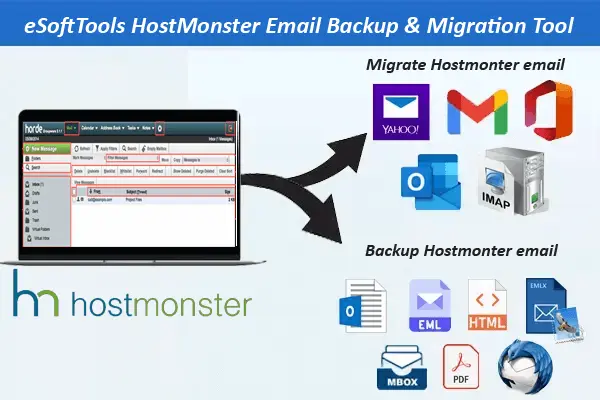
HostMonster Email Backup & Migration Software - Key Features

Instant Fast Software Delivery via Email

- Rapid & Secure solution for effortless HostMonster Email Backup and Migration.
- Create HostMonster Email Backup in 10 different file types - PST, MBOX, EML, EMLX, MSG, HTML, MHTML, PDF, and Thunderbird.
- Transfer HostMonster account Emails to Office365, Gmail, Yahoo Mail, Outlook.com, and other IMAP based web email services.
- Select folders from your HostMonster account and easily export emails only from them.
- Export mail folders to MBOX files in 2 modes- Save in Single MBOX & Save in Separate MBOX.
- Automatically detects Thunderbird profiles and allows importing HostMonster mail folders.
- Export and save each HostMonster email item with its original information and formatting.
- Select specific dates with mail filter and export emails only from those selected dates.
- Manually specify locations from your PC to store resulting files holding HostMonster emails.
- Smart & simple-to-access interface for performing effortless Email backup/migration job.
- Run on any version of Windows operating system without any restrictions (up to Windows 11).
Demo Edition:- Backup & migrate 25 Emails from each HostMonster account's mail folder for free.
HostMonster Email Migration and Backup Tool - All Features
Smart HostMonster Email Backup & Migration
Multifunctional program to safely create backup of HostMonster Emails. Save Emails to local drive and migrate to different email platform.
- Backup HostMonster Emails to Computer: - Export mail folders with emails and store in your computer's hard drive in the form of PST, EML, EMLX, MSG, HTML, MHTML, MBOX, PDF, and Thunderbird.
- Migrate HostMonster Emails to Cloud: - Safely shift emails from HostMonster Server to another email account of Office365, Gmail, Yahoo Mail, Outlook.com, iCloud, AOL, Yandex, Webmail, and more.
Working Steps >> How to Backup/Migrate HostMonster Email?
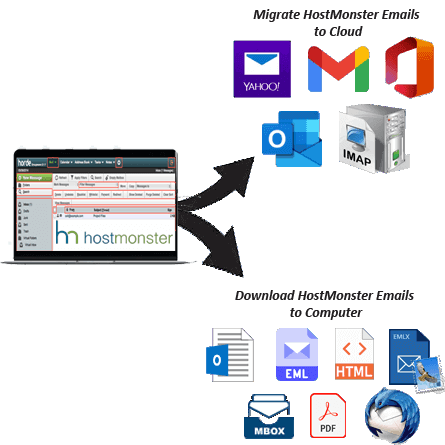

Download HostMonster Emails to Local Drive
Build a backup of HostMonster account emails from this safest program. Easily extract emails and collect them in the form of different file formats in your PC. Save HostMonster email as PST, EML, EMLX, MSG, HTML, MHTML, MBOX, PDF, & Thunderbird mail files.

Migrate/Transfer HostMonster Emails
Move emails from HostMonster-hosted email accounts to different emailing platforms and accounts. Transfer mail folders along with all emails to email service providers such as Gmail, Yahoo Mail, Office 365, Outlook.com and all other IMAP-based web emailing programs using this one and only solution.

HostMonster Emails to Outlook PST
Backup emails from HostMonster in Outlook PST file format. Get a Unicode PST file containing all your chosen mail folders of HostMonster account. Easily use this PST file to access in any version of MS Outlook 2021, 2019, 2016, 2013, 2010, 2007, 20003 and below.

Preserve Each Email as Separate file
Extract emails from HostMonster mail folders and preserve as separate files on your PC. Each email saves as individual file in formats like- EML, EMLX, MHTML, HTML, MSG and PDF. Without any alteration, save emails in each file with complete header details, message body, attachment, etc.

HostMonster Mail folders to MBOX
- Single MBOX: - Backup Emails of all mail folder in a single MBOX file.
- Separate MBOX: - Each mail folder saves as individual MBOX file to your PC.
Take HostMonster Mail folders backup in MBOX files for accessing them in 30+ email programs like- Opera Mail, Entourage, Eudora, and more. Save emails in MBOX with 2 distinct modes.

HostMonster Emails to Thunderbird
A new export option has added to directly transfer emails from HostMonster to Thunderbird configured profile. Users just need to select this option and the software auto-detects the available profile location and creates a backup of HostMonster emails in that place “Existing Thunderbird Profile”.

Chosen Mail Folders Exporting
Get a list of every HostMonster mail folder in the software and be able to choose specific folders from them. Easily select the folder that contains the emails you need. Choose the folders and easily download and migrate emails from them to the desired export option.

Specific Emails Export by Date
Email filtering is another advanced function available inside the software that allows users to select the date of the emails. Specify a start and end date and backup and migrate emails from this period through this smart software.

Different File Naming Options
The naming convention feature is available with file types that support saving each email separately. Users can choose any of the 9+ available options of naming convention and name their files with any one of those formats easily.

Manual Saving Location Selection
Users can choose the location where they want to keep the downloaded files from the software. Just choose a location from your computer before the backup task, start the download process and get all the resultant files on that specified path.

Compatible on Windows O/S
There is no requirement for your PC to have any specific version of Windows O/S. Use the software with any existing Windows version available on your PC. The software will work on Windows XP, Vista, 7, 8, 8.1, 10, 11 and beyond.

Backup/Migrate Emails Free
A free demo version is available to try and test each of its functions before purchasing the software. Just take the help of this software and perform free email backup and migration tasks without spending any money.
eSoftTools HostMonster Backup & Migration Software

HostMonster Backup/ Migration software

HostMonster Account Login

Choose required HostMonster account mail folders

Download HostMonster Emails to different formats

Download HostMonster Emails to Local drive

Import HostMonster emails to cloud apps

Migrate HostMonster Emails to Office365

Migrate HostMonster Emails to Gmail
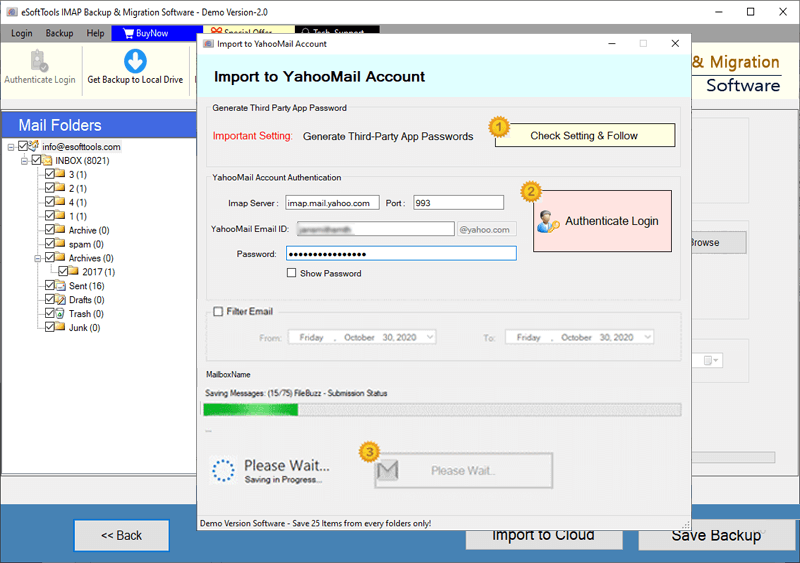
HostMonster Account Emails export to Yahoo account

Export HostMonster account emails to Outlook.com/ Hotmail

Migrate emails from HostMonster account to other imap mail app
Software Comparison
| Software Features | Trial Version | Full Version |
|---|---|---|
| Backup HostMonster Emails to Local Drive | ||
| Migrate HostMonster Emails to Cloud mail apps | ||
| Save HostMonster emails to PST, EML, EMLX, MSG, HTML, MHTML, MBOX | ||
| Direct Import HostMonster Mail emails to Thunderbird profile | ||
| Export specific HostMonster mail folders | ||
| Mail Filtering by date range | ||
| Export HostMonster Mail emails with attachments | ||
| Unlimited HostMonster Email Backup/Migration | Export 20 items from each HostMonster Mail folder | |
| Download Now | BuyNow |
Software Specification
Trial Limitations
Migrate email & back up emails (up to 25) from each of your selected folders of HostMonster email account with no charges.
Software Info
Version
v5.0
HostMonster and all IMAP based mail apps
License
Personal, Corporate, Technician
Language Supported
English, German, Italian, French, Spanish
System Requirements
Processor
Intel® Pentium Class
Operating System
Windows
Hard Disk Space
50 MB of free hard disk space
RAM
Minimum 512 MB is required
Software Delivery
Electronic
YES
Mode
Delivery by E-mail
Supported Windows OS
Works with all windows O/S editions 11, 10, 8.1, 8, 7, XP, Vista, & below editions
Frequently Asked Questions (FAQ)
How to Download/Backup HostMonster Emails to Local Drive?
- Download and Run eSoftTools HostMonster Email Backup & Migration Software (Windows).
- Add your HostMonster account details and login with it.
- Load mail folders and choose required folders from them.
- Choose an export option- PST, EML, EMLX, MSG, HTML, MHTML, MBOX, PDF, Thunderbird.
- Apply other settings like mail filter, naming convention, and saving location.
- Finally, press Save Backup and take Hostmonster Email Backup to Local Drive.
To see the complete proces, visit here: - How to Download HostMonster Emails to Computer?
How to Migrate Emails from HostMonster to Different Cloud Email Service?
- Install and run this Windows based HostMonster email migration software. on your PC.
- Input your HostMonster account details in the software and click on Login.
- Add HostMonster mail folders to the software and choose the required ones from them.
- Click on Import to Cloud button and choose any of the option Gmail, Yahoo Mail, Office365, Outlook.com, or IMAP.
- Login to your chosen cloud email account and apply mail filter and other options.
- Lastly, press Convert/Import button button and start the Hostmonster email migration job easily.
Check complete process by visiting here: - How to Migrate HostMonster Mail emails to Cloud Mail?