OST to ICS Converter Software
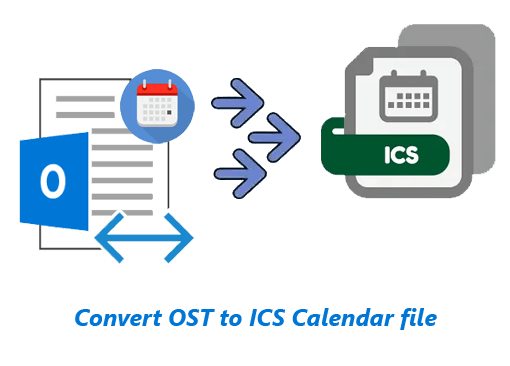
Superlative program to transfer calendar events from Outlook's OST file to ICS (.ics). Move Outlook Calendar to ICS files for using with supported calendar management tools. Complete calendar export operation swiftly without errors. Get advanced features to get best results with easy process.
- Convert OST to ICS and Export/Save Calendar Events data.
- Convert Single or Multiple OST file in single operation.
- Save Calendar in ICS in 2 modes- Each Calendar in Separate ICS or All Calendar in one ICS file.
- Export Calendar with every relevant properties - Date, Time, Title, Notes, Attendees, etc.
- Directly opening OST files and Calendar Preview in software .
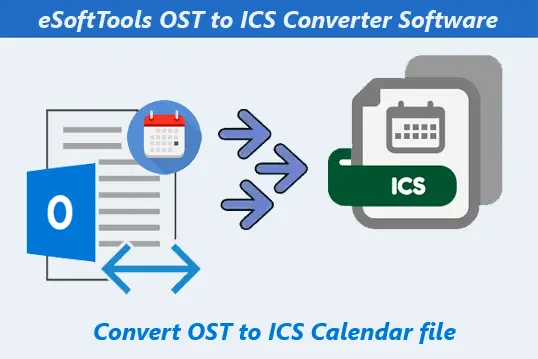
OST to ICS Converter Software - Features Overview
Instant Fast Software Delivery via Email

- Perform fastest OST File Conversion to ICS (.ics) files with Outlook Calendar data.
- Convert OST to ICS files and get results in 2 distinct modes: -
- Save OST to ICS files in 2 modes - Save Each contact in Separate ICS or Save All in One ICS file.
- Open OST files, load Complete Mailbox and provide a Clear preview of all items- Calendar, Contact, Emails, etc.
- Perform conversion of Single or Multiple Outlook OST files (Bulk) in a single operation.
- Supporting Corrupt/ Orphaned/ Encrypted as well as Healthy OST files for conversion.
- Shows entire mailbox folders available in OST file and allows required folder selection to export data items from them.
- Exports each calendar with its every related information - Title, Date, Time, Location, Description, Attendees, Organizer, Reminder, Status, Attachment, etc.
- Makes users able to convert OST to 13 More File formats - PST/ MSG/ HTML/ MHTML/ EML/ EMLX/ MBOX/ vCard(.vcf)/ CSV/ Zimbra (TGZ)/ Thunderbird & PDF.
- Feature available to direct data transfer from OST to Office 365/ Gmail/ Yahoo Mail, &IMAP Accounts.
- Enables manual specification of a save location on the user's machine to store newly generated files.
- Also, allows users to convert Outlook's PST and NST files with the same process.
- Supports files generated from any older to the new edition of MS Outlook - 2000/ 2003/ 2007/ 2010/ 2013/ 2016/ 2019/ 2021 & 2024.
- Graphical Interface for handling OST conversion effortlessly & flawlessly by all kinds of users.
- Available with support for all Windows O/S editions - 11/ 10/ 8/ 8.1/ 7/ XP/ Vista and older.
Free Software Trial Edition to Convert OST to ICS and other Export options with 25 items at no cost.
OST to ICS Calendar Conversion Tool - Complete Feature's Details
Dedicated Tool for Outlook OST to ICS Conversion
Exclusive program for Conversion of Outlook's OST files into ICS Calendar File. Extract and store Outlook Calendars from OST to ICS file for using with various supported programs such as - MS Outlook, Google Calendar, IBM Notes, etc.
- Save Each calendar to Separate ICS: - Software auto-saves each calendar to an individual ICS file.
- Create Single File for All Selected Folders: - Generate one ICS file to hold all contacts of OST file's selected folders.
Convert OST to ICS files and get results in 2 distinct modes: -
Learn More >> How to Convert OST to ICS Calendar files?
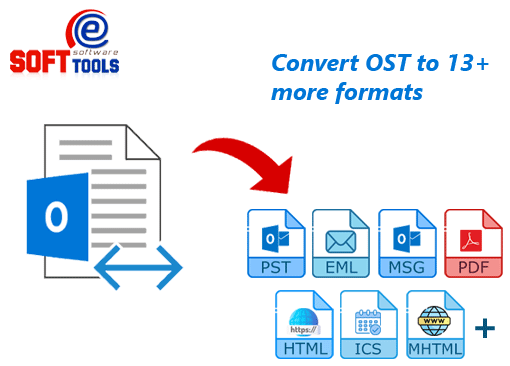
OST Conversion to 13 More File formats
With this single software, convert OST files to 13 other options besides ICS. The available options are: -
Learn More >> Convert Outlook OST to PST & More formats?
Upload OST to Cloud/ Web Email Services
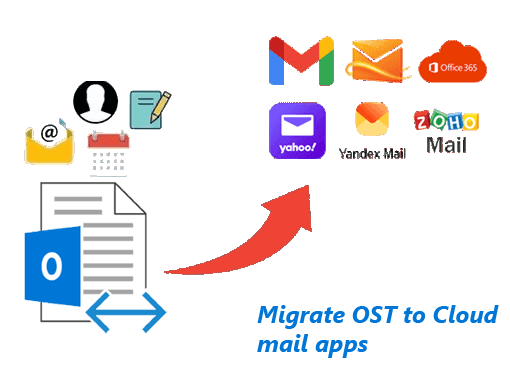
Available with smart feature to directly transfer Outlook mailbox items from OST files to cloud based email services. Easily migrate Outlook data from single or multiple OST files to Web mail platforms with options: -
- Import OST to Office365: - Transfer Outlook OST file items to Office365 Mailbox.
- Import OST to Gmail/ Google Workspace: - Migrate mail folders and other items from OST file to Gmail or Google Workspace (Business email) account.
- Import OST to Yahoo Mail: - Export data from Outlook OST files to Yahoo Mail cloud.
- Import OST to IMAP Account: - Using this option, export OST file's data to any web email platform via IMAP protocol.
Learn More >> How to Import OST to Cloud Email Programs?
3 OST File-Add Modes (Single/ Bulk)
- Single OST File Conversion: - Select or search for a specific OST file and convert it.
- Bulk OST File Conversion: - Add multiple OST files to the software and convert all at once.
- Choose Configured Outlook Profile: - load profiles that available in MS Outlook, and select one or more for conversion.
Allows conversion of single and multiple OST files in a single job with options: -

View Outlook Items from OST file
Available with the facility to directly open OST files and read all Outlook mailbox items available in them. This software provides an exact preview of all the items (emails, contacts, calendars, etc.) as they are in the OST file and appear in MS Outlook.

All Outlook's OST files Support
Allows converting all types of OST files - corrupted/ orphaned/ encrypted/ offline or readable. Supports OST file generated from any settings (IMAP/ Exchange or Office365). Apart from OST file, this software also enables users to convert Outlook's PST and NST files.

Export Selective Folders from OST
Software shows the available folders of OST files on the right side of the preview panel. From there, users can read their internal Outlook items by selecting the folder and choosing the required folders containing calendars or other items for the export process.
Export Calendar with Every Detail
While performing OST to ICS file conversion, the software exports each Outlook calendar from the OST file with all its associated elements. Each Outlook OST calendar will be exported and saved in ICS file with all details - Title, Date, Time, Location, Description, Attendees, Organizer, Reminder, Status, Attachment, etc.

Manually Choose Saving location
The software enables users to specify the location to store the new files (ICS or others) generated by OST conversion. Users can easily choose any location from their local drive, and the software automatically provides the new files there.

Supports All Outlook Editions
OST files generated from any old or new version of MS Outlook application will work. ANSI and Unicode OST files of any MS Outlook version - 2024/ 2021/ 2019/ 2016/ 2013/ 2010/ 2007/ 2003/ 2000 and older, are supported by this software. Software only requires your OST file and enables converting OST without MS Outlook application.

Easily Accessible by All Users
With the available graphical interface of this software, OST file conversion is extremely easy for all users. With just a few clicks, anyone (both technical and non-technical) can use all the functions and features of the software.

Executable on Windows O/S
Software available to work on computers with Windows operating system. In computers with Windows O/S - 11, 10, 8.1, 8, 7, Vista, XP, or earlier versions, users can run this tool and use it to convert OST file to ICS and other supported conversion options.

Free OST to ICS Conversion Demo
eSoftTools provides a free demo version of OST to ICS Converter to try out the software practically before purchasing. Through this demo, users can check out the capabilities and functions of the software.
Note: - It has the capacity to export upto 25 items from each folder of the OST file.
eSoftTools OST to ICS Converter Software
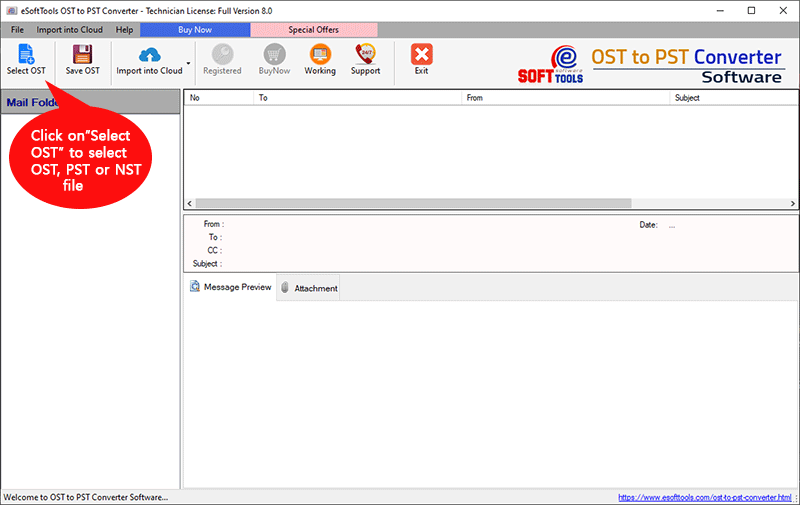
eSoftTools OST to ICS Conversion software

Insert Single or Multiple OST file
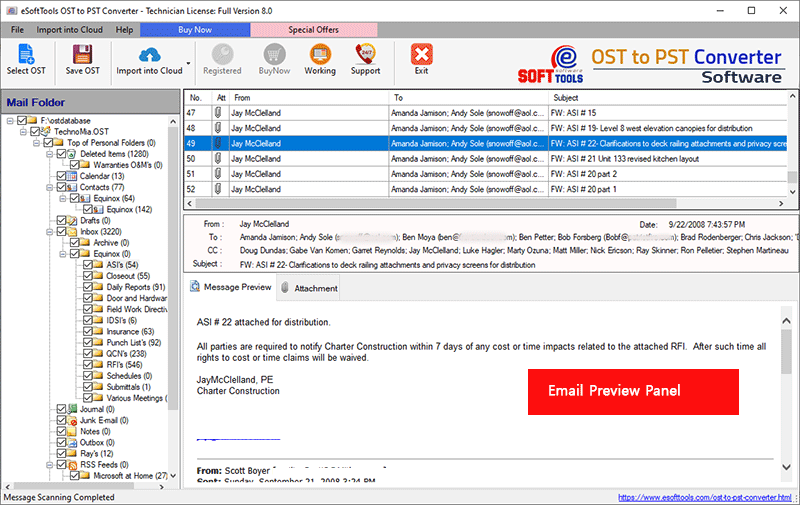
Open OST file and read calendar and other data

OST to ICS Export format selection and settings

OST to ICS Calendar file Conversion
Software Comparison
| Software Features | Trial Version | Full Version |
|---|---|---|
| Convert OST file with Calendar to ICS | ||
| Save Calendar to single or separate ICS | ||
| Open OST file and Preview Calendar records | ||
| OST Conversion to PST/ HTML/ PDF/ MSG/ MHTML/ EML/ EMLX/ MBOX/ vCard/ CSV/ Thunderbird/ Zimbra TGZ | ||
| Import OST to Cloud (Office365/ Gmail/ Yahoo/ IMAP) | ||
| Saving in Destination Path | ||
| Convert OST with Unlimited Calendar | export 25 items from each OST folder | |
| Download Now | Buy Now |
Software Specification
Trial Limitations
Free OST file conversion to ICS or other available conversion format with up to 25 items from each folder.
Software Info
Version
v13.5
OST/PST/ & NST
License
Personal, Corporate, Technician
Language Supported
English, German, Italian, French, Spanish
System Requirements
Processor
Intel® Pentium Class
Operating System
Windows
Hard Disk Space
50 MB of free hard disk space
RAM
Minimum 512 MB is required
Software Delivery
Electronic
YES
Mode
Delivery by E-mail
Supported Windows OS
Works with all windows O/S editions 11, 10, 8.1, 8, 7, XP, Vista, & below editions
Frequently Asked Questions (FAQ)
How to Convert OST to ICS & Export Outlook Calendar via OST To ICS Converter?
- Download setup file of eSoftTools OST to ICS Converter software for Windows O/S.
- Run the setup, install the software and launch on your computer.
- Click on Select OST button and choose single or bulk file conversion mode.
- Add OST files with your chosen conversion mode and Start Scanning.
- Load Outlook mailbox data (including calendar events) from OST files.
- Select necessary folders (containing calendar specifically) and click on Save OST.
- Choose the export option Export to ICS (.ics) and optionally select Create Single File for all folders.
- Apply other settings, like - saving location selection and lastly, click on Convert.
- Start OST to ICS conversion and save Outlook OST file's Calendars to ICS files.
Check the complete process with screenshots here: How to Convert OST to ICS (iCalendar) files?
Will this software allow me to save calendar different OST files or folder to single ICS file?
Yes, you can enable Create single file for all folders option to do this during OST to ICS conversion process. Enabling this will save calendar from all your selected OST files to one ICS files.
Is this software able to convert several OST files in single operation?
Will this software allow me to perform calendar recovery from corrupt or inaccessible OST file?
Is this software limited to exporting calendars only, or is it capable of exporting other Outlook mailboxes from OST file as well?
OST to ICS conversion is limited to exporting calendars from OST. But while converting OST to other available conversion formats, you can also export emails, contacts, tasks, journals and other items.
Besides converting OST files to ICS, what other export options are available with this software?
- Conversion formats: - Supports converting OST to PST/ EML/ EMLX/ MSG/ HTML/ MHTML/ MBOX/ vCard/ CSV/ Thunderbird/ PDF/ and Zimbra (TGZ).
- OST to Cloud options: - Upload Outlook items from OST to Office365/ Gmail/ Yahoo Mail and IMAP Accounts
In addition to ICS, the software offers 13 other conversion options to save OST items to local files and 4 OST file migration options to cloud email platforms.
I want to convert OST and export data from some specific folders of OST files. Is it possible?
Will this software make any modifications to the calendar events available in the OST file for conversion?
Does this software require MS Outlook application while doing OST file conversion?
This software will convert your OST files without the requiring MS Outlook application.
Why free demo of OST to ICS Converter is offered by eSoftTools?
A free demo version is available for every user to test the software before purchasing it. After being fully satisfied with the features and functionality of the software, you can decide to purchase its paid version.