Download and run the windows-based eSoftTools Excel to ICS Converter Software.
Press the Browse Excel File or Add Excel File from the first screen.
Navigate to Excel calendar file's location, select it, and click on Open to add it into the software

Step-2)
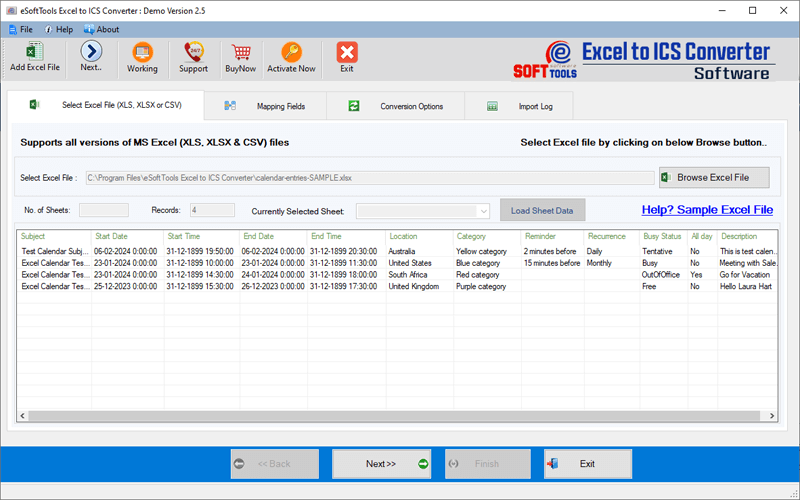
The software will open the Excel file and provide you the list of excel sheets and their inner calendar records
View all calendar enteries and click on the Next button.
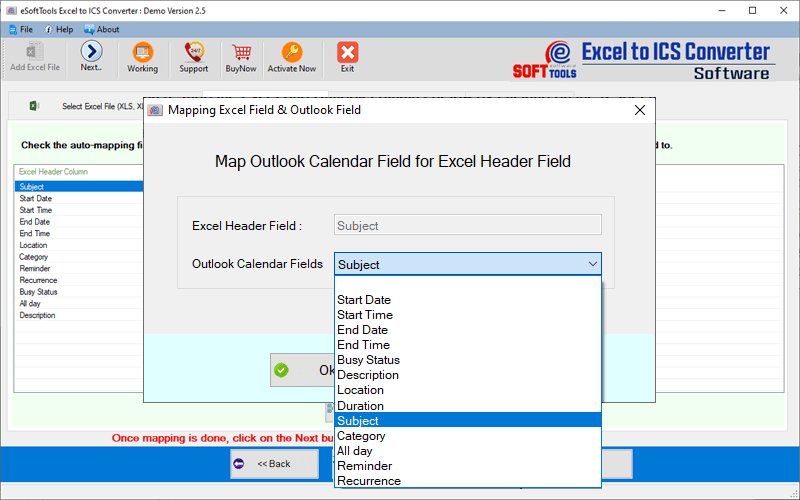
Software will automatically map all the calendar fields
After this mapping, manually customize or map Excel header with calendar fields.
Press the Next button,and move to next screen.
- ICS File:- Create separate ICS file for each calendar record on an excel sheet
- Save in Single (Combined) ICS File: - preserve all calendar from selected sheet in a single ICS file.
- Import to New PST file:- Export all calendar records from selected excel sheet to a new PST file
- Import into Existing Outlook profile:- Add a new folder with a custom name to an Existing Profile/PST file.
- MSG file:- Export and Save each calendar records in separate MSG files.

Step-5) Apply other needed settings and begin conversion: -
- File Save Naming Option: - Choose any one mode of providing name to resultant files- "Subject" & "Auto-Numbering"
- Destination Path: - Choose the location where you want to preserve the resultant files.
Finally, click on Next and begin the Excel calendar conversion to ICS or other available option.
