NetEase Mail Backup & Migration Software
An advanced Windows application for secure management of NetEase mail accounts. Easily backup or migrate emails from 163.com, 126.com, and yeah.net NetEase domains to different formats or platforms. Backup and migration with complete data protection and without any complications.
- Backup NetEase Emails to 10+ file formats like PST, MBOX, EML.
- Shift emails directly to Gmail, Yahoo, Office 365, and others.
- Export folders selectively using the smart folder preview option.
- Supports all NetEase email services - 163.com, 126.com, yeah.net.
- Advanced options like filters, naming rules, & folder path input.
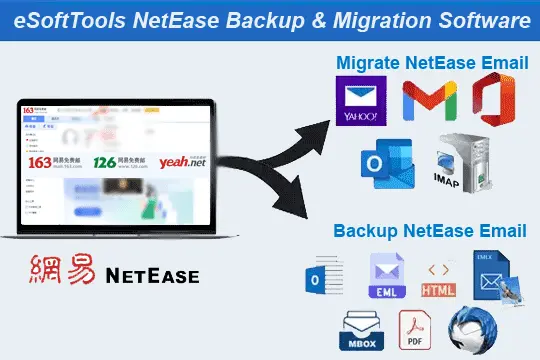
NetEase Mail Migration & Backup Tool - Advanced Features

Instant Fast Software Delivery via Email

- NetEase Email Backup in PST, EML, EMLX, MSG, HTML, MHTML, MBOX, PDF, & Thunderbird.
- Straight transfer of NetEase Emails to Gmail/ Yahoo Mail/ Office365 or other IMAP Accounts.
- Special function to auto-detect and add NetEase Mail emails to Thunderbird Profile's local folder.
- Save in Separate MBOX backup option to store each NetEase mail folder as separate MBOX file.
- Save in Single MBOX - Combine all selected mail folders and save all emails in one MBOX file.
- Available for transferring emails from all NetEase domains - 163.com, 126.com, and Yeah.net.
- Available folder selection feature to choose only required folders for exporting emails.
- Easy login process and backup/migration is completed with minimal effort from users.
- Export emails of specific date range with email filtering option to select dates.
- Offers 9 file naming patterns using email fields like From, Date, & Subject for organized exports.
- Allows users to manually choose destination path to save exported email files securely.
- Maintains high-level data integrity and ensures zero-loss during backup or migration operations.
- Preserves every email information in its original format during the transfer process.
- Intuitive interface, designed for smooth operation by both novice and advanced users
- Works flawlessly across all Windows O/S versions, XP/ Vista/ 7/ 8/ 8.1/ 10 and 11.
Free Demo : Backup and migration of up to 25 emails per folder from NetEase Mail.
Advanced Capabilities of NetEase Email Backup & Migration Tool
Best NetEase Mail Backup & Migration Solution
Smart way to effortlessly archive or transfer emails from NetEase email services like - 163.com, 126.com, and Yeah.net.
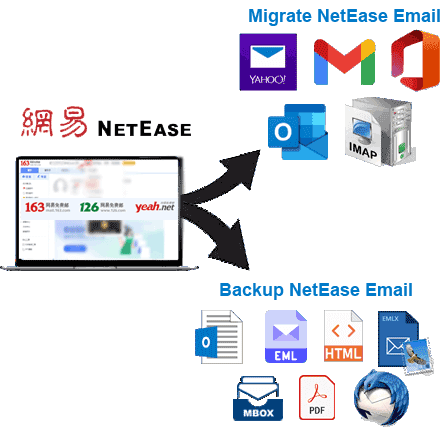
- Export NetEase Emails to Multiple File Formats: - Download emails from 163.com, 126.com, and yeah.net and save in PST, MBOX, EML, MSG, PDF, HTML, MHTML, EMLX, or Thunderbird-compatible formats. Get ability to export emails from complete mailbox as well as selected folders.
- Direct Migration to Leading Email Platforms: - Transfer your emails NetEase Mail Services to most popular email services like- Gmail, Yahoo Mail, Outlook 365, or any other IMAP-enabled email service. Complete migration while maintaining full folder hierarchy and data integrity.
Working Process >> How to Backup/Migrate NetEase Mail?

Save NetEase Emails as Outlook PST
Export entire mailboxes as well as selected folders from NetEase Email Platform - 163.com, 126.com, and yeah.net to Outlook-supported PST files. Create PST files in Unicode format for all MS Outlook versions. Also, get PST file-splitting feature to manage new PST file size.
Create Individual Files per Email
Convert NetEase emails to individual files such as EML, EMLX, MSG, PDF, HTML, or MHTML. Save each email as a separate file in your chosen format. Great for organizing specific messages while retaining formatting and attachments.

Backup NetEase Mail Folders to MBOX
- Separate MBOX: - Each mail folder is saved as an individual MBOX file
- Single MBOX: - Merge selected folders into one unified MBOX file for simple storage.
Easily save mail folders of NetEase email platforms locally in MBOX format:

Direct Import to Thunderbird Profiles
Import NetEase emails to existing Thunderbird profile with simple process. No manual configuration required - the software automatically detects Thunderbird profile storage location and local folders from user drive and adds NetEase account's emails.

Folder Preview & Selection for Export
Function is available to preview mailbox folders before export to select only required folders. Simplifies backup by allowing targeted folder selection, reducing output file size. Easily choose your required folders and export emails only from the selected ones.

Export Emails by Specific Date Range
Easily apply specific date range filters to extract only emails that fall within your selected time frame. This feature is especially helpful when you need to archive or transfer time-sensitive emails without including unnecessary or outdated data.

Custom File Naming Patterns
Organize your exported email files with precision using 9 predefined naming patterns. These combinations uses email metadata - from, subject and date to create clear and consistent file names in formats such as EML, EMLX, MSG, HTML, MHTML, and PDF.

Preserve Original Email Structure
Maintain full integrity of your email data during backup or migration process. This tool ensures that all formatting, inline images, metadata (To, From, Subject, CC, BCC) and folder hierarchies remain intact, guaranteeing accurate data export.

Manually Choose File Destination Path
Provides full control over where your exported files are stored. Whether it's a local drive, an external device, or a shared network location, you can manually specify the destination path and keep all your email backups safe there.

Clear and User-Friendly Interface
With a modern interface designed for users of all skill levels. This software makes it easy for users to complete even complex tasks. Provides clear instructions, visual indicators, and step-by-step navigation from installation to the final export task.

Wide Compatibility with Windows OS
It doesn't matter which version of Windows you are using, the software will work without any hassle. It is fully compatible with Windows XP, Vista, 7, 8, 8.1, 10, and latest Windows 11, supporting both 32-bit and 64-bit versions for maximum compatibility.

Free Demo to Backup/Migrate Email
Test the full potential of the software without paying anything upfront. The free demo version lets you backup or migrate up to 25 emails per folder, giving you a hands-on experience of all the key functionalities before purchasing a paid license.
eSoftTools NetEase Mail Backup & Migration Software

NetEase Mail Backup/ Migration software

NetEase Mail Account Login

Choose required NetEase Mail account mail folders

Download NetEase Mail Emails to different formats

Download NetEase Mail Emails to Local drive

Import NetEase Mail emails to cloud apps

Migrate NetEase Mail Emails to Office365

Migrate NetEase Mail Emails to Gmail
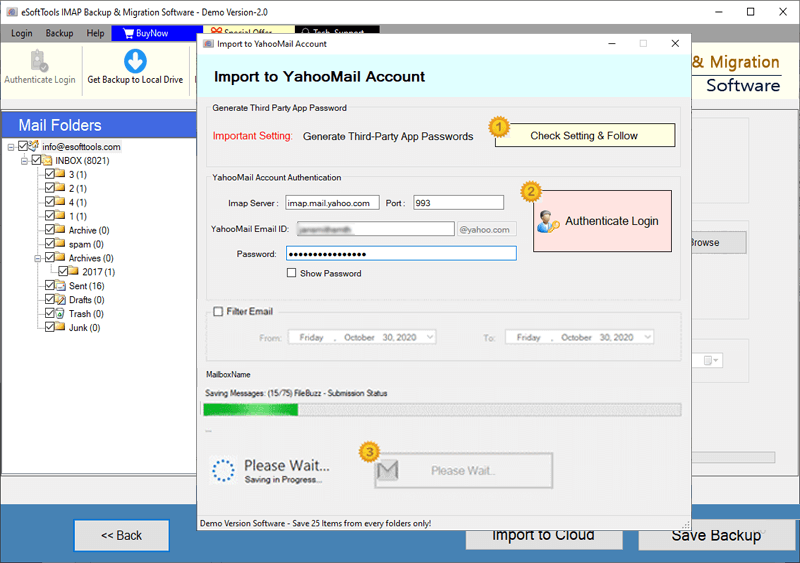
NetEase Mail Account Emails export to Yahoo account

Export NetEase Mail account emails to Outlook.com/ Hotmail

Migrate emails from NetEase Mail account to other imap mail app
Software Comparison
| Software Features | Trial Version | Full Version |
|---|---|---|
| Export Email from NetEase's 163.com, 126.com or Yeah.net | ||
| Export NetEase Mail to PST, EML, MSG, PDF, MBOX, and Other Formats | ||
| Migrate NetEase Emails to Gmail, Office 365, Yahoo & Any IMAP-Compatible Mailbox | ||
| Export NetEase Folders as Separate MBOX Files | ||
| Merge Multiple Selected NetEase Folders into a Single MBOX File | ||
| Import NetEase Emails Directly into Thunderbird (Auto-Detect Feature) | ||
| Apply Date Range Filters to Export Specific NetEase Emails | ||
| Use File Naming Patterns for Organized Email Export | ||
| Full NetEase Backup & Migration Support | Limited to 25 emails per folder in free demo | |
| Download Now | Buy Now |
Software Specification
Trial Limitations
Export up to 25 emails per NetEase Mail folder for free. Try all features before purchasing the full software.
Software Info
Version
v6.0
163.com / 126.com/ Yeah.net
License
Personal, Corporate, Technician
Language Supported
English, German, Italian, French, Spanish
System Requirements
Processor
Intel® Pentium Class
Operating System
Windows
Hard Disk Space
50 MB of free hard disk space
RAM
Minimum 512 MB is required
Software Delivery
Electronic
YES
Mode
Delivery by E-mail
Supported Windows OS
Works with all windows O/S editions 11, 10, 8.1, 8, 7, XP, Vista, & below editions
Frequently Asked Questions (FAQ)
How to Download and Backup NetEase Mail Emails to Your Computer?
- Install and open the eSoftTools NetEase Mail Backup & Migration software on a Windows PC.
- Securely sign in with your NetEase Mail credentials to access your mailbox and load all folders.
- Choose specific folders from your NetEase account and select preferred export format - PST, MBOX, EML, PDF, Thunderbird, or other.
- Configure advanced options including date range filters, naming conventions, and select destination path for saving files locally.
- Initiate the backup process by clicking the Save backup button and export emails efficiently to the chosen format at your selected location.
Check out the Guide with step-by-step screenshots: - How to Backup NetEase Mail Emails Locally?
How to Migrate NetEase Mail Emails to Other Web Email Platforms?
- Begin by downloading and installing the NetEase Mail Migration software on your Windows computer.
- Securely log into your NetEase Mail account within the application to synchronize all mailbox folders.
- Choose email folders you wish to transfer to another platform for selective migration.
- Select your destination email service, including options like Gmail, Office 365, Yahoo Mail, or any IMAP-compatible provider.
- Provide the login credentials for the targeted account and customize settings such as folder input and selection and email filters.
- Initiate the migration process by clicking the Import/Convert button to move your emails smoothly and securely.
For a illustrated tutorial, visit to: - How to Migrate NetEase Mail Emails to Other Email Platforms?
What email services does this software support for NetEase mail migration??
Can I back up selected folders from my NetEase Mail account?
Does the software preserve email attachments and formatting during backup?
Of course, it retains all the original email elements such as attachments, formatting, metadata, and folder hierarchy during the backup and migration process.
What file formats are available for exporting NetEase emails?
Is it possible to filter emails by date for backup or migration?
Which Windows versions does this software support?
Is there any trial version available to test the software before a purchase?
Yes, you can download a free demo version that allows exporting or migrating up to 25 emails per folder to evaluate the features of the software at zero charges.