Want to move Lotus Notes emails to an IMAP based webmail application? If yes then this job a user can perform smoothly with the method that is described in this blog. Start reading this article and know How to migrate lotus notes emails to IMAP accounts?
Lotus Notes desktop-based email client is the application that most well-known companies use for sending/receiving their emails. The application provides a secure environment for users to perform emailing tasks.
But desktop-based application technology is losing popularity in the market and users are moving to cloud-based and web-based applications. Because of this reason at the present time, there is a huge list of users who want to migrate from Lotus Notes to Webmail application.
Also Read:- How to Import Lotus Notes NSF to Outlook.com/Outlook Web Access?
Benefits of Lotus Notes to IMAP-based Webmail migration
- Access Email account from any location: – With cloud or webmail applications, users become able to access their email account from different locations at the same time.
- Perform emailing jobs from different devices: – IMAP-based email accounts are accessible on all web browsers. Easily users can access their email account from all devices by opening their web browser.
- Solves storage-related issues: – All data of email accounts Webmail application saves on cloud servers; this helps users in managing storage space on their local drive.
Smart solution to Migrate Lotus Notes Emails to IMAP Account
For directly migrating Lotus Notes emails to IMAP account Server users can take advantage of the best eSoftTools NSF Converter/Migrator software. With fewer efforts, users can safely move emails, contacts, calendars, and other Lotus Notes items from NSF files to IMAP-based webmail applications.
This tool provides you the facility to transfer data from multiple NSF files with a single process. In addition to this, with the software users will get more smart features to make the migration process much easier for users like- mail-filter, folder selection, email preview, and more.
How to Migrate Lotus Notes Emails to IMAP Server with NSF to IMAP Migrator?
On your windows-based computer download and install NSF Converter/ Migrator and follow the steps shown below: –
- Launch NSF Converter software and press “Select NSF” button.
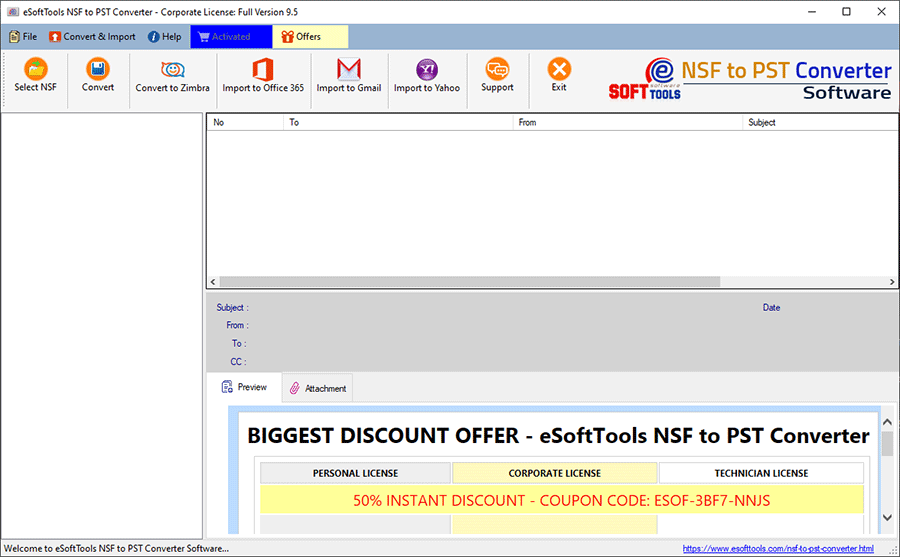
- Choose Single or Bulk file conversion mode and click on “Next”.

- Add NSF files into the software and click “Start Scanning” button.

- Load all Lotus Notes mailbox items from NSF files and get a preview of each item.

- Select required folders from NSF files and click the “Import to IMAP” button.
- Provide your IMAP account details like- Host Name, Email address, & Password.
- Finally, press Convert button & migrate Lotus Notes emails to IMAP account.
Key Features of NSF to IMAP Migration Software: –
- Migrate Lotus Notes NSF file’s data to different IMAP-based mail accounts like- AOL, Godaddymail, Google Workspace/G-Suite, Horde, Squirrelmail, and more.
- Export emails & other data from single as well as multiple NSF files with a single process.
- Provides preview of each element from NSF files file before migration.
- Move selective folders from Lotus Notes NSF to IMAP accounts.
- Filter emails by date and export emails of selective dates from NSF files.
- Offers users to create new folders with custom names to IMAP accounts for NSF database.
- Also available with trial edition for users to migrate up to 25 items from each folder of NSF file to IMAP accounts free of cost.
Conclusion
There are several benefits of moving from Lotus Notes to IMAP mail accounts. For that reason, many Lotus Notes users prefers to migrate to IMAP based email account. Users who want to do this migration job can simply use the method described in the above sections of this article. Try the eSoftTools NSF Converter/Migration tool and migrate NSF files to IMAP account with complete security.
