Amazon WorkMail Backup & Migration Software
Efficient program to simplify your email export operations with fast, reliable and secure functionality. Works to backup and migrate your email data from Amazon WorkMail service. Use it whether you are changing email platforms or archiving emails. Ensures seamless email transfer with complete accuracy and ease and without the need for any technical skills.
- Shift emails from Amazon WorkMail to other email platforms.
- Backup emails in PST, MBOX, PDF, EML, & many other file types.
- Export full mailbox or selected folders with original structure.
- Preserves attachments, formatting, & all metadata perfectly.
- Apply date filters for precise, time-saving email backup tasks.
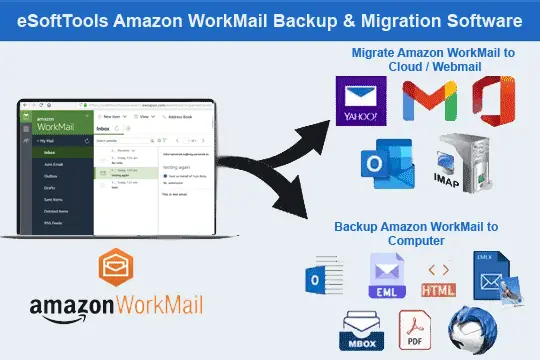
Feature Highlights of Amazon WorkMail Email Backup & Transfer Software

Instant Fast Software Delivery via Email

- Straight-forward email migration from Amazon WorkMail to Other web based email platforms (Gmail, Office365, Yahoo Mail, and other IMAP-enabled services).
- Download and store WorkMail emails to local drive as PST, MBOX, EML, MSG, PDF, HTML, EMLX, MHTML, and Thunderbird.
- Backup emails from full mailbox or choose specific folders of Amazon WorkMail account.
- Export and save each email individually into file formats - EML, MSG, HTML, MHTML, EMLX, or PDF.
- Import Amazon WorkMail Email folders into Mozilla Thunderbird email client with same structure.
- Export emails from mail folders into one single MBOX (combined) or separate MBOX (each folder).
- Retains email formatting, metadata, attachments, and other properties during export process.
- Folder selection control to choose folder and export emails from only necessory folders.
- Apply date-based filters to migrate or back up only specific email records by selecting their dates.
- Create a custom folder in destination cloud or IMAP account to organize incoming/imported emails.
- Choose any location on your local drive where you want to save the exported or backup email files.
- 9 available file naming formats to name newly generated files for easy identification.
- Simple graphical interface offered for all skill levels to perform backup/migration without confusion.
- Supports every version of Windows O/S - 11, 10, 8.1, 8, 7, XP, Vista, and older editions.
Free Trial Available : Back up or migrate up to 25 emails per folder from Amazon WorkMail account for free.
Amazon WorkMail Backup & Migration Software - Available Functions
Finest Amazon WorkMail Email Export Solution
Smart solution built for two essential needs: Amazon WorkMail email backup and email migration to different platform.
- Backup Amazon WorkMail to Local Storage: - Securely download Amazon WorkMail emails and save them locally in multiple file formats. Export emails to EML, EMLX, MSG, PST, MBOX, PDF, HTML and MHTML with original structure and all properties. Plus, import emails directly into existing Thunderbird profile without the need for additional conversion steps.
- Migrate Amazon WorkMail to Other Platforms: - Move Amazon WorkMail email folders to Gmail, Office 365, Yahoo Mail or any other IMAP-supported email services. Efficiently migrate entire mailboxes or specific folders with a straightforward process. No technical skills required - just login and start moving your Amazon WorkMail emails.
Learn More >> How to Backup & Migrate Amazon WorkMail?
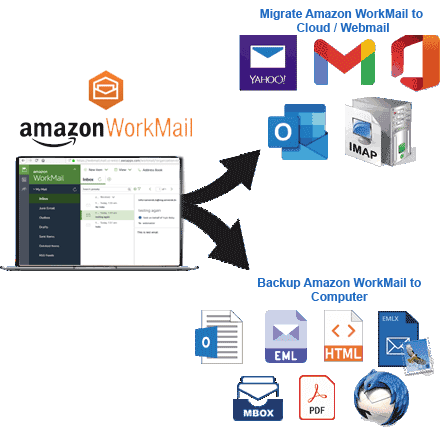

Export Amazon WorkMail Email to PST
Quickly export emails from your Amazon WorkMail account to Outlook-supported PST file format. You can export and preserve selected folders or your entire Amazon Workmail account mailbox to single PST file. Creates PST files in Unicode format, which works flawlessly with all Outlook versions for smooth integration.

Save Each Email as a Separate File
You can save each Amazon WorkMail email as a standalone file using backup in file format options—EML, MSG, PDF, HTML, MHTML, and EMLX. This gives you flexibility in organizing emails and makes it easy to archive or share individual messages.

Amazon WorkMail Email to MBOX
- Single MBOX: - Export emails from all folders and save into one combined MBOX file.
- Separate MBOX: - Create separate MBOX files for each folder for better email organization.
Export emails from Amazon WorkMail in MBOX format for use in email clients like - Thunderbird, Apple Mail, Opera Mail, and more.

Import Emails into Thunderbird
Amazon Workmail to Thuderbird email transfer with process fast, simple, and efficient process. Import Amazon WorkMail emails directly into a Thunderbird profile configured on your computer. The tool automatically detects Thunderbird and allows you to import entire or selective folders from Amazon Workmail account in Thunderbird email profile.

Select Specific Folders to Export Email
After logging in to your Amazon WorkMail account, preview all the folders and get the power to select only the folders from which you want to export email specifically. This selective export feature helps you avoid unnecessary email data from the export operation and focus only on the folders that are important.

Preserve Email Structure & Properties
Ensuring your email content remains accurate during backup and migration. The tool maintains all essential email attributes including sender/recipient details, subject, timestamp, and attachments. Email formatting, inline images, and metadata also remain unchanged during Amazon WorkMail email backup or migration.

Filter Emails by Date for Export
Export only emails from a particular date range using the advanced mail filter feature. Set your preferred start and end dates to extract emails within a specific time frame, making the export job more focused and faster.

Apply Custom Naming Rules
Choose one of the nine different file naming patterns from Naming Conventions before starting the export. Name the newly generated files based on sender, subject, date or their various combinations. This helps you organize your exported email files effectively.
Note: - Available only with single email saving file types - EML, EMLX, MSG, HTML, MHTML, and PDF.
Create Custom Folder in Destination
While migrating Gmail, Yahoo, Office 365 or IMAP account, you can create a custom folder. Create this folder with custom name and store the imported emails in destination account and organize them systematically. Store imported emails in this separate folder without interfering with existing folders or already available emails.

Set Preferred Destination Saving Path
Manually choose any folder or location on your computer to save the exported Amazon WorkMail email files. Whether on a local drive, external storage or a network folder, you have full control over where you save the backup email files locally.

Intuitive Software with Clean Design
Designed for all types of users, this software offers a modern and straightforward interface. No advanced skills required - just follow the on-screen steps to backup your Amazon WorkMail emails and migrate them to a different email service with ease and confidence.

Compatible with All Windows Versions
Runs smoothly on all Windows operating systems including Windows 11, 10, 8.1, 8, 7, Vista, XP or even older versions. Supports both 32-bit and 64-bit systems, making it accessible and functional on modern and older machines.

Amazon Workmail Email Export Free
Try it for free using the free demo version that allows you to get a quick overview by exporting or migrating up to 25 emails per folder. Experience the full functionality and performance of the software with the demo version. Test it and after satisfaction upgrade to the premium version for unlimited exports and advanced features without any restrictions.
eSoftTools Amazon WorkMail email Backup & Migration Software
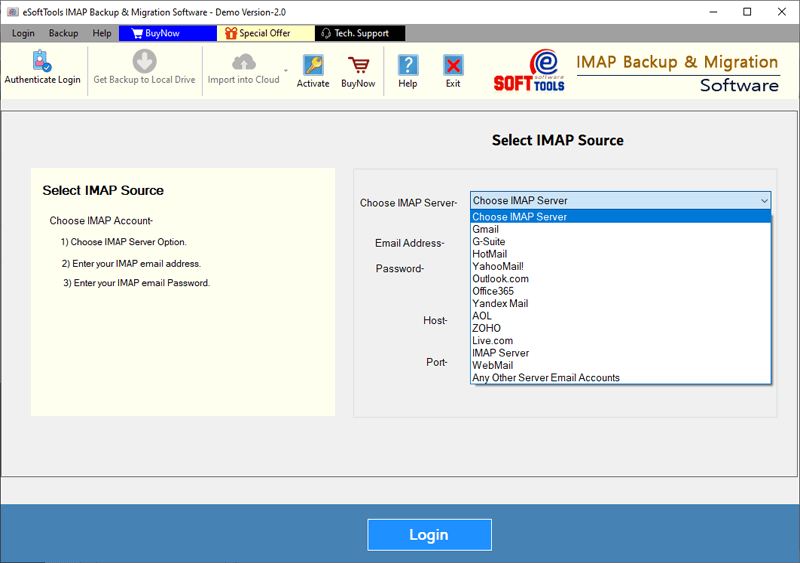
Amazon WorkMail Backup/ Migration software

Amazon WorkMail email Account Login

Choose required Amazon WorkMail email account mail folders

Download Amazon WorkMail email to different formats

Download Amazon WorkMail email to Local drive

Import Amazon WorkMail email to cloud apps

Migrate Amazon WorkMail email to Office365

Migrate Amazon WorkMail Emails to Gmail
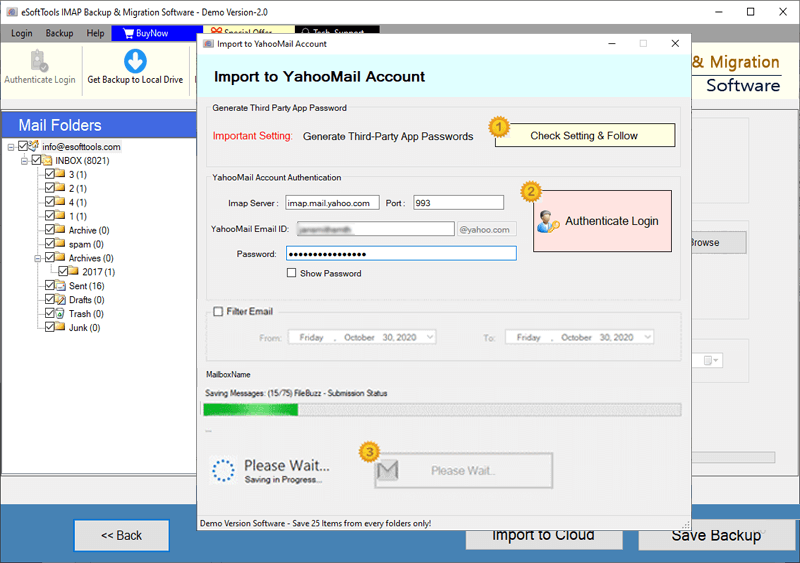
Amazon WorkMail Emails export to Yahoo account

Export Amazon WorkMail account emails to Outlook.com/ Hotmail

Migrate emails from Amazon WorkMail email to other imap mail app
Software Comparison
| Software Features | Trial Version | Full Version |
|---|---|---|
| Export & Transfer Emails from Amazon WorkMail | ||
| Save Emails in Various Formats (PST, EML, MSG, PDF, MBOX, etc.) | ||
| Migrate Emails from Amazon WorkMail to Gmail, Office 365, Yahoo, & Other IMAP Accounts | ||
| Generate Individual MBOX Files for Each Amazon WorkMail Email Folder | ||
| Consolidate All Folders into a Single MBOX File for Amazon WorkMail | ||
| Automatically Import Emails into Thunderbird Profile (No Setup Required) | ||
| Filter Emails by Specific Date Range Before Export or Migration | ||
| Customize File Names for Exported Emails | ||
| Complete Backup & Migration Support for Amazon WorkMail Emails | Allows exporting up to 25 emails per folder with free version | |
| Download Now | Buy Now |
Software Specification
Trial Limitations
Experience a free trial and securely backup or migrate up to 25 emails per folder from your Amazon WorkMail account - completely free.
Software Info
Version
v6.0
Amazon WorkMail
License
Personal, Corporate, Technician
Language Supported
English, German, Italian, French, Spanish
System Requirements
Processor
Intel® Pentium Class
Operating System
Windows
Hard Disk Space
50 MB of free hard disk space
RAM
Minimum 512 MB is required
Software Delivery
Electronic
YES
Mode
Delivery by E-mail
Supported Windows OS
Works with all windows O/S editions 11, 10, 8.1, 8, 7, XP, Vista, & below editions
Frequently Asked Questions (FAQ)
How to Download Emails from Amazon WorkMail and Save to Your Computer?
- Download and install Amazon WorkMail Backup and Migration software on your Windows computer.
- Open the tool and choose Amazon WorkMail or IMAP Server from the list of supported source platforms.
- Enter your Amazon WorkMail login details—Email Address, Password, Hostname, and Port number.
- Click the Login button to connect and let the tool load your mailbox folders securely.
- Select the folders from which you wish to export email and choose a format like PST, MBOX, EML, PDF, or other.
- Use the Date Filter option to extract only emails of your specified time range.
- Click the Save Backup button to download and store Amazon WorkMail emails on your computer.
For full instructions with screenshots, visit: How to Backup Amazon WorkMail Emails Locally
How to Migrate Emails from Amazon WorkMail to Another Web Email Service?
- Download and install the Amazon WorkMail Migration and Backup Tool on your Windows-based desktop or laptop.
- Launch the application and select Amazon WorkMail or IMAP Server from the list of supported email sources.
- Add your Amazon WorkMail account login credentials, including Email Address, Password, Hostname, and Port.
- Hit on Login and connect to Amazon WorkMail and let the software fetch your mail folders.
- Choose email folders from those you want to migrate emails - choose all folders or only specific ones as needed.
- Press Import to Cloud button and select the destination platform (Gmail, Office 365, Yahoo Mail, or IMAP).
- Enter the credentials for your target account, including Email Address, Password, Hostname, and IMAP Port.
- Click the Import or Convert button to begin transferring emails from Amazon WorkMail to your selected email service.
For the complete step-by-step guide with images, visit: - How to Migrate Amazon WorkMail Emails to Cloud Platforms?
What output file types are available for saving Amazon WorkMail emails locally?
Will all original attachments and formatting be kept during the email backup or migration process?
Can I specifically select certain Amazon WorkMail emails to export based on their date?
Yes, you can apply a custom date range to extract emails from a specific period. This improves efficiency and avoids unnecessary data exports.
What is importing Amazon WorkMail emails into Thunderbird?
Does this tool work on older Windows versions or only runs on new Windows 11 systems?
How safe is it to enter your Amazon WorkMail credentials into this Email backup tool?
Is there a free trial version available to try out this Amazon WorkMail Email Backup or Migration tool?
Yes, the demo lets you export or migrate up to 25 emails per folder from your Amazon WorkMail account. This is a great way to test out all the features without spending a single penny.