How to Open/ View MBOX emails with MBOX Viewer software?
MBOX Email Viewer tool to Read/ View emails from MBOX files and convert/migrate MBOX into multiple conversion options
Get eSoftTools MBOX Viewer Software the most powerful and trusted solution to directly open MBOX files. Without reliance of any email client or additional application read emails from MBOX files. Efficiently access emails from all type of MBOX files including- MBOX/MSF/MBS/MBX and others. In addition, Convert MBOX to 10 conversion formats and migrate to different cloud mail apps using this single software.
From the first screen of the software, click the "Add File/Folder" button.

- Select MBOX File:- To add an MBOX file manually from a known location.
- Select MBOX Folder:- Select and add a folder having multiple sub-folders and MBOX files at once.
- Auto-Load Thunderbird Profile:- Auto-detect and load all mail folders of Thunderbird profile from its default location with a single click.
Select and add all MBOX files into the software and hit on Next button.


Aside from viewing MBOX file's emails, also convert and migrate MBOX file's emails into different formats with MBOX Viewer pro/pro plus edition by following these below given steps : -

- Mail Filtering: - Choose a start and end date of emails that you want to export from MBOX files.
- Naming Convention: - Use this function for providing a custom name to resultant file by email attributes- from, To, subject.
- Saving Location: - Click on the "Browse" button and select a location where you want to save the resultant files.
Users will also get some other options on this window-

- Conversion formats:-
- Single PST for All Mailbox: - Save all selected MBOX mail folders to a single PST file.
- Single PST for each Mailbox: - Create separate PST file for each selected MBOX file or mail folder
- MSG: -Save each MBOX file Email to individual Outlook MSG file
- EML: - Export email from MBOX files with all relevant information and individual EML files
- EMLX: - Export MBOX file email to separate Apple Mail EMLX files.
- HTML: - Preserve MBOX file email to HTML files for accessing them with web browsers like- Chorme, firefox, etc
- MHTML: - Save MBOX email to separate MHTML files to access with web browsers
- NSF: - Save all selected MBOX mail folders to single Lotus Notes NSF file.
- Zimbra: - Export all selected MBOX mail folders to single Zimbra TGZ files.
- Thunderbird: - Import selected Thunderbird mail folders/files to Thunderbird profile default storage location


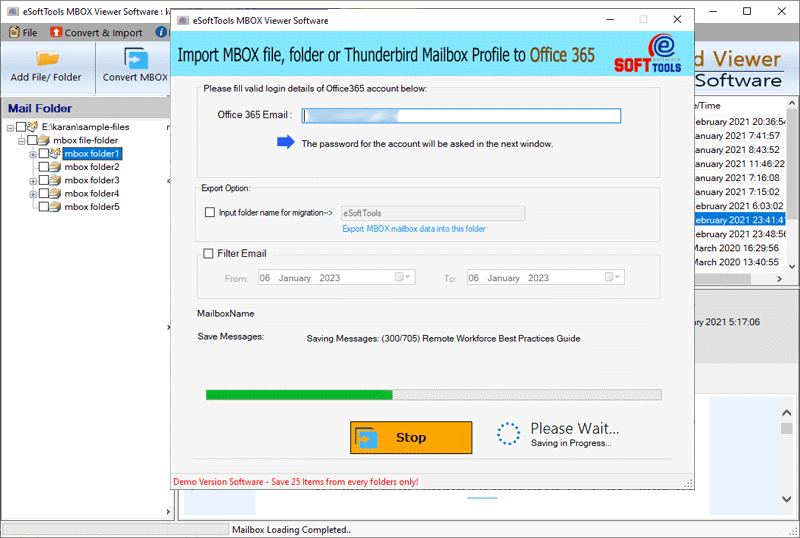
Provide your Office365 email address and password and login to your Office365 account details.

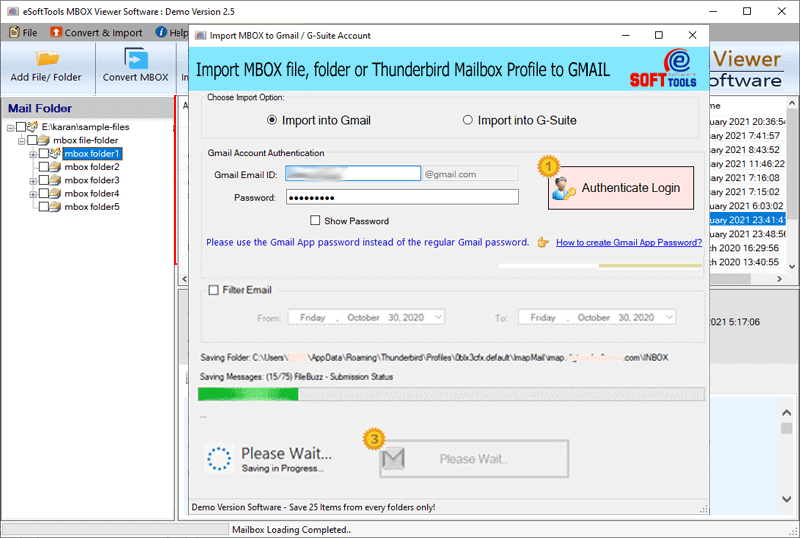
Note: - For migration, firstly users have to create Google Third party app password

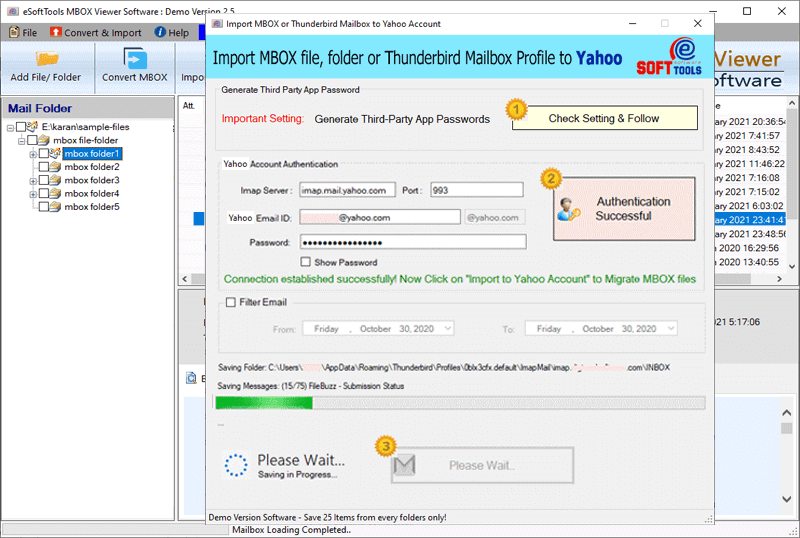
Note: - Create Yahoo Third party app password before migration.