How to Remove Unwanted Pages from PDF Document?
Multiple ways to remove undesired pages from PDF file including Blank Pages, Treat Near-Blank Pages As Blank and remove
eSoftTools PDF Page Remover Software is an advanced and quick solution that provides multiple options to remove unwanted pages from PDF documents. Users can choose the appropriate option, and within a minute, the software can remove pages from a PDF file that users do not want.
Step-1) Download, Install, and launch eSoftTools PDF Page Remover Software on your Windows computer.

Step-2) Add PDF file: -
>> Select PDF file:- Click the button Select PDF File and choose the PDF document from which you want to remove unwanted pages.
>> Now, click on Next button.

Step-3) Choose the best suited option for removing page from PDF file.
- Specific Pages – This option helps to remove specific page numbers (e.g. 1,4,6,9)
- Page Range- This option helps to remove a range of pages (e.g. 4-8)
- Multiple Page Ranges- This option helps to remove multiple pdf page ranges (e.g. 1-4, 8-10, 14-17)
- First Multiple Pages – This option helps to remove a defined number of pages from the first page.
- First Multiple Pages – This option helps to remove a defined number of pages from the first page.
- Last Multiple Pages- This option helps to remove a defined number of pages from the last page.
- Even Pages- Through this option, you can remove all even-numbered pages from the pdf file.
- Odd Pages- Through this option, you can remove all odd-numbered pages from the pdf file.
- Remove Blank Pages- This option helps in removing blank pages from the PDF file.
Now, click on the Next button.

Step-4) Provide the page number(s) to be deleted, separated by commas.
Now, click on the Next button.

Step-5) Now hit the Save button and select a location from your computer to save resultant PDF files
Now, click on the Save button to begin the PDF Page Remover operation.

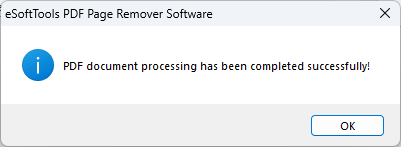
Step-6) The software prompts a confirmation message stating that the PDF Page Remover operation has been completed. Click on OK to close it and get the cleaned PDF files from your selected save location