How to Recover MS Access Password?
Recover & Unlock Access File Password with best MS Access Password Recovery Tool
eSoftTools Access Password Recovery is a reliable and easy-to-use application designed to help users unlock password-protected MS Access database files. Its simple interface and powerful algorithm allow you to unlock Access files with just one click. The tool can easily extract both simple and complex passwords, including numeric, alphabetic, or mixed combinations. The software currently works with MDB files only.
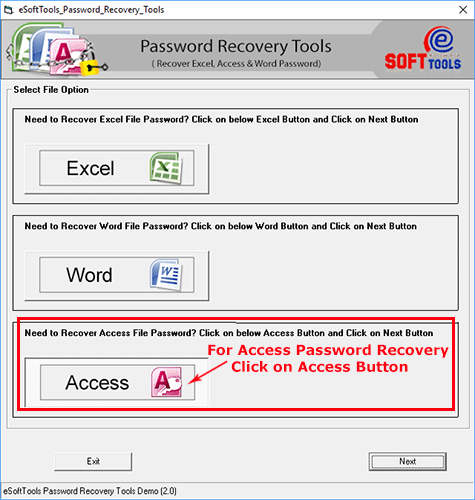
Step-1) Download & Launch eSoftTools Access Password Recovery Software and launch it on your windows computer.
At first, choose the option "Access" from the first screen and click the "Next" button.
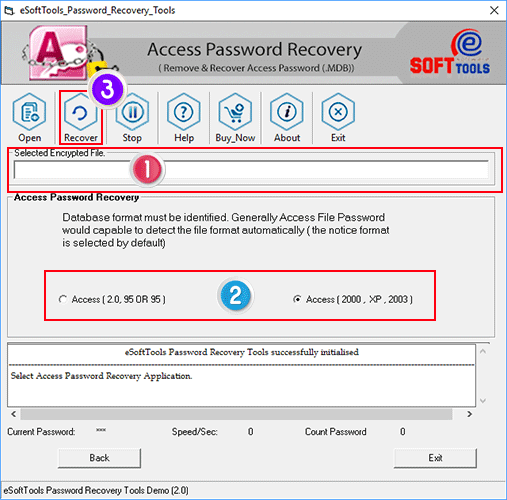
After clicking on the Next button, the Access Password Recovery Wizard opens up.
Step-2) Click the "Open" button from the menubar of the software.
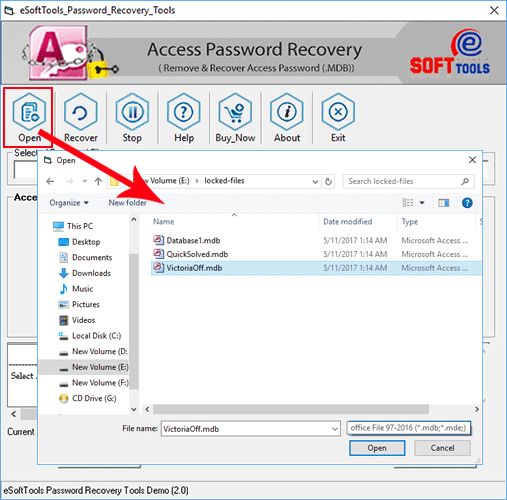
Step-3) Select your password protected MS Access file and hit the "Open" button to add Access MDB files from its location into the software.
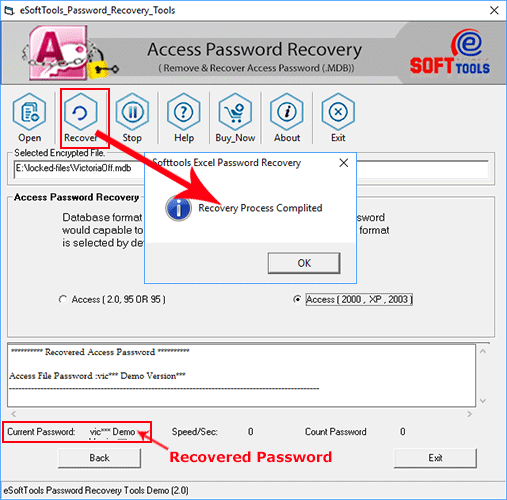
Step-4) Now click on the "Recover" button from the toolbar to start the recovery process.